 NFC Expert
 What to do if there is no nfc module in the phone
The operation of the technology is based on the induction of a magnetic field. The active device creates a field, the chip modulates the signal, and the antennas transmit it to the associated gadget or tag. Reading works on the same principle. On smartphones, antennas are installed under the back cover, so it is better to bring the phone to the reader with this side of the phone.
The NFC function is designed according to “ECMA-340” and “ISO/IEC 18092” standards. They regulate the requirements for connection security, information transfer rates and data exchange protocols between devices. The chips in the latest smartphones support new editions of the rules, so there should be no problems using the technology.
If the user used the technology for a while, and then it stopped working, you need to identify the cause. To do this, make sure that the module is working:
- Go to the wireless settings.
- If the NFC item is missing, then the chip or antenna is broken. To fix the problem, just replace them.
- If NFC is available, check if it is enabled.
If the module is disabled, enable it and check if it works. Otherwise, the problem may lie in the second device. The technology must be active on each of the interacting devices, otherwise the transfer of information is impossible.
Sometimes the problem is in the software. Check the functionality of the application through which the payment is made. This can be done in several ways:
- Make a purchase from another card.
- Use a club card.
- Unlink and relink the main payment method and check it.
Sometimes a problem occurs due to insufficient battery power. The N FC module needs access to the battery and some functions may block it. Open the battery saver settings and make an exception for the NFC module. This setting can be turned off.
User can install the module manually. For this, tags and SIM cards are used.
Tags are used to receive and transmit information, as well as pay for services. They have a small price, the size allows you to place them on any device. Labels also allow you to manage settings for various devices. But this is also the main drawback: labels have limited memory, so they are configured to perform only one task.
To set a label, it is enough:
- Select and purchase a tag. Be sure to check compatibility with your device.
- Attach the tag under the body.
- Install apps for customization.
- Open the program and create a task that the module should perform.
- Check operation.
SIM cards work differently. They perform their usual function, but they additionally have an NFC module built in, to which you can link bank and club cards.
The advantages of SIM cards lie in the ease of use and the active state of the module, which is passive in labels. To work with a high probability you will need to change the number. When changing the old module to a new one, you will also have to re-bind the cards, and when making a payment, user identification is not required.
To install the module, it is enough to purchase a SIM card with a built-in module from a mobile operator. Some companies change the current SIM card to a new one while keeping the number. Just plug it into your phone and start using it.

Don’t worry if you don’t find the built-in function, there is a way to connect NFC to your device. But you can only do this if the panel cover on the back and the SIM card slot on your smartphone/tablet are removable. Installing NFC in this case is not difficult.
What you need to know about it
Near Field Communication is a system of non-contact interaction between two devices. The main advantage of NFC lies in the small size of the chip and the following features:
- information transmission radius up to 10 cm;
- the ability to work with various devices;
- low electricity consumption;
- fast information transfer and high-speed connection with the receiver;
- low cost of the chip;
- the ability to install the module on smartphones that do not have a connector.
The small size of the chip and low power consumption allow it to be used even in older smartphones. The short range of data transmission and the frequency at which the module operates ensure safety. The location of the built-in chip is marked with a sticker so that the user knows which side to apply the device to.
If your smartphone does not have an NFC slot, you can use a dedicated SIM card or install an antenna. The former are sold by mobile operators, and the latter in most sales outlets. Installing a SIM card will require the user to use the services of a certain operator, and the antenna increases energy consumption.
The Near Field Communication interface is the basic contactless transmission system. Therefore, developers often release programs to correct its operation. This causes problems when certain software interacts with various gadgets.
How to connect NFC
If you have an iPhone 6 or later, then the NFC chip is installed in your phone. Unlike Android devices, iPhone does not require any special steps to activate the feature. The chip is constantly powered and is in standby mode. If you bring your smartphone to an active or passive source, the function is automatically activated.
Before using NFC for contactless payment, register a bank card in the Wallet application. To read and edit labels, you will need to install a special application. For example, NFCWriter or similar. The exchange of settings between iPhones is implemented at the iOS level and does not require the installation of additional programs.

After the presence of this function in the smartphone was revealed in the ways listed above, you need to learn how to connect NFC. Activation occurs according to the following algorithm:
- go to the smartphone settings;
- go to the wireless transmission section;
- find the settings item responsible for NFC (in some phones this item is located in additional sections);
- activate the checkbox that allows transfer between devices.
The device will be ready to transfer files and information, it remains only to start. After use, it is desirable to disable the function for security reasons. To instantly turn it on or off, you should move the icon to the curtain, where the “quick settings” are located.
To enable Near Field Communication, you need to:
- Open smartphone settings, go to device information or advanced options.
- Press more button.
- Find NFC and enable it by checking the box.
- Go to the list of running applications and check if Android Beam works. If there is no process, start it manually in the same menu as NFC.
- After turning on the system, check its operation.
Enabling Near Field Communication on different versions of Android is different. With the release of Android 7.0, Google released the Android Beam process responsible for the operation of the module. It is not used to pay for purchases, but with its help the user can send images, contacts and other information. But for this you need to enable the application in the settings. For this:
- Go to system settings.
- Go to advanced configuration.
- Find NFC. Android Beam will be located next to it.
- Start the process.
https://www.youtube.com/watch?v=JqxmDBnCUOs
This will allow the user to share their multimedia files with other people via NFC. For a successful transfer, you need to repeat these steps on the smartphone with which you are interacting. But for this you first need to enable NFC.
The history of the appearance of technology in the phone
It is believed that this is a relatively young development. Its appearance dates back to 2004: it was during this period that the three famous companies Nokia, Philipps and Sony organize the NFC Forum, and three years later they integrate the first NFC tags into a Nokia phone.
Near field connection technology provides information transfer between two transmitters of electromagnetic waves. N FC operates at a specific frequency within 10cm of the device. That is why the system got its name. A chip for contactless payment for purchases is installed in a smartphone. Its work is supported by background processes.
Before launching NFC, you need to make sure that the chip is actually installed in the device. This can be done in three ways:
- Open android settings and go to device information. Find Near Field Communication.
- View the technical documentation of the smartphone.
- Inspect the case and check for specifications on the rear panel. If it is not there, and the device can be disassembled, check for the presence of the NFC inscription on the battery or under it. On most devices, the abbreviation is abbreviated to a single N.
Lack of NFC – is it possible to bypass
For older iPhones and phones from other manufacturers that do not have such a chip, there are alternative options. Use a special SIM card, install an antenna with a chip, or attach a passive NFC tag.
A SIM card with a chip is purchased from mobile operators, but they are rarely found in communication stores. In addition, not every phone works with such a SIM card. So before buying, be sure to check the compatibility of your phone and SIM card with an NFC chip.
The second way to introduce technology into a smartphone is to use a smart tag. They are thin stickers that are attached to the back cover from the inside, so the smartphone will have to be disassembled.
And the last option is to install an antenna with an NFC chip. “Set” is installed inside the phone and is attached to the battery and the installed SIM card. In this option, you will receive full support for the technology with all its features.
The history of NFC in the phone
Such technology as NFC originates back in 1983. Then it was used to record the necessary data using radio signals. But the modern system appeared only in 2004. Three firms – Sony, Nokia and Philips – created an “NFC forum”, which allowed the transfer of some information with just a touch of devices. Near field communication technology has evolved over the years.
In 2006, “NFS tags” were created, and in 2007 such a tag was inserted into the Nokia 6131 phone. In 2009, the NFC forum created the Peer-to-Peer standard, which allows smartphones to exchange contacts with each other using NFC, links, initialize Bluetooth, and so on. Now this technology is present in almost every mobile device and is used for different purposes.
Advantages and disadvantages of NFC
NFC has more advantages than disadvantages.
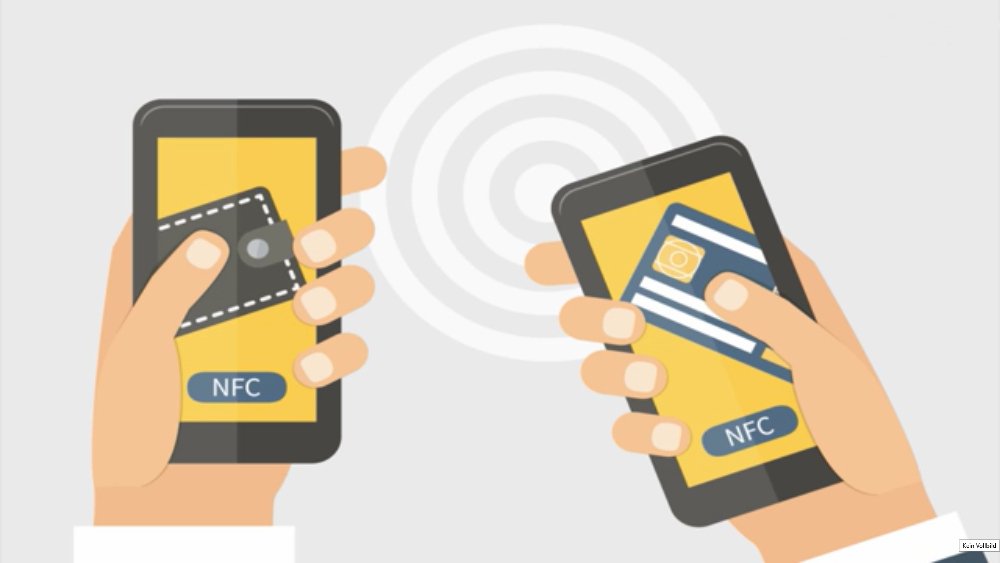
The main advantages are:
- Fast connection between two devices. When transferring files via Bluetooth, for example, it takes time to connect one gadget to another. When using NFS, this happens almost instantly.
- The range is very small, which prevents scammers from intercepting personal information or funds.
- Very small chip size. It can be placed on any device due to its small size, so NFC tags are used everywhere.
- Low cost. This chip is quite cheap, which allows you to purchase it without giving a large amount of money.
There are very few disadvantages of Near field communication, and the most important is the low transmission rate.
The main advantages are:
- low price;
- small dimensions of the device;
- high transmission speed;
- support on almost all mobile devices.
It is worth highlighting the cons:
- relatively small range;
- Not all devices are equipped with an NFC chip.
So, thanks to these notes, you have learned quick and easy ways to test your device for the ability to transmit information and interact with other technical means using Near Field Communication. By following the simple instructions in this article, you can also find out for yourself if your smartphone has this technology, integrate NFC into your phone and transfer the necessary files at high speed.
On Android 7.1 and below
To start contactless data transfer, go to phone settings. This can be done from the desktop by clicking on the shortcut, or from the application menu. Navigate to wireless networks and open advanced settings. Find Near Field Communication in the list. Put it in working condition and check if it works.
To make an access point using NFC, you need to set a special label. The latter can be bought or made from an electronic pass. Install the automation software by attaching a tag to the device. Customize the action in the application that the tag should take when it interacts with another NFC source.
In the eighth version of Android, the developers have made changes to the settings, making it easier to navigate. Now, to enable NFC, it is enough:
- Go to settings.
- Open connected devices.
- Select NFC from the list and turn it on.
The location of the module in the smartphone parameters may differ slightly if the operating system is supplemented with a shell. The latter is software written by developers to extend functionality. In such a situation, to enable contactless transmission technology, you will need:
- Open options.
- Go to wireless networks.
- Find in one of the Near Field Communication additional menus.
- Turn on the module.

The principle of enabling technology does not depend on the firm, only on the software.
What should I do if the device does not support NFC?
There are several types of external nfs modules – they differ from each other in size, location relative to the smartphone (inside or on the case) and ease of installation. Of course, the easiest option is to purchase a smartphone with a built-in nfc chip.
However, some phone models are still deprived of it for various reasons. Just for such cases, external modules are provided that perform the same functions as the NFS chip built into the factory. Manufacturers whose devices support nfc often make a special mark on the case.
You can also check the availability of such a function in the settings:
 Main menu.
- Settings.
- Wireless networks.
- NFC (check the box if there is none).
However, if the smartphone is not new and there is no built-in chip in it, then an attachable nfc module that can be bought in a store and used for almost any smartphone will help resolve this situation.
If we divide external modules into two large categories, it turns out that there are active and passive NFC modules.
- Active. Use a communication channel via Bluetooth or Wi-Fi. First of all, this factor implies high energy consumption.
- Passive. They are one-way and do not allow full data exchange between devices, as well as recording and saving data.
Smartphone models supporting NFC
It should be noted that not all phones support this data transfer technology. It is known that NFC support is available for such devices as:
- Apple iPhone (from 6S and 6S Plus);
- new Galaxy lineups from Samsung and smartphones from other manufacturers on the Android platform (starting from Android0).
Technology such as NFC is supported by most modern smartphones. For example, the latest iPhone releases, starting with 6s. Also famous Chinese firms and all new Galaxy variations.

To find out if the device supports NFS, you need to read the official characteristics of the phone, located in the settings or on the site with a description of the gadget.
Is it possible to pay by phone without NFC?
Unfortunately, payment with a device that does not have an NFC module is not possible. Applications such as google pay will not work if the gadget does not have an NFS module built into it.
If the device does not support this technology, then neither the tags, nor the antennas, nor the SIM cards will be able to work in full.
Installing NFC modules
Is it possible to install the nfc module in the phone by myself? The answer is yes, you can. The installation process is not complicated and does not require special skills and knowledge. The owner of the device can do this at home in a few minutes.
So, how to make NFC on a phone without NFC? The answer is to install a third-party chipset. We will talk further about how to do this.
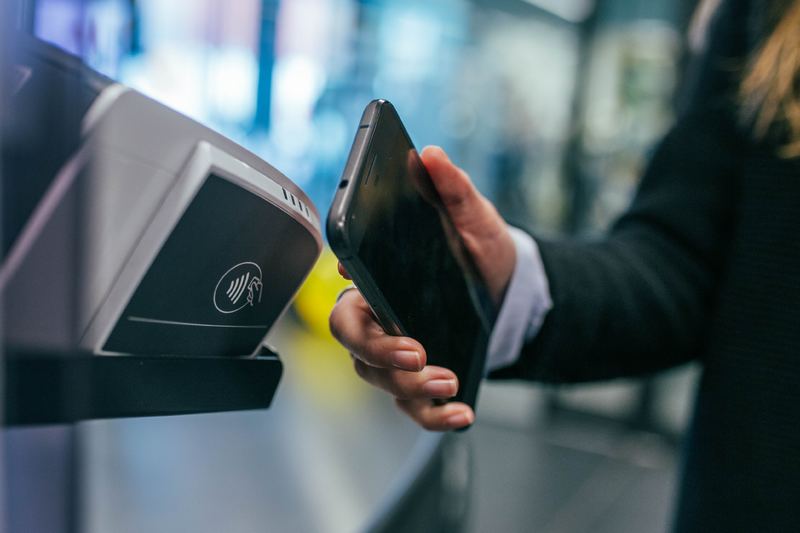
However, first of all, it should be said that the user performs the modification at his own discretion, since the installation of third-party equipment affects the terms of the warranty service and there is a chance to damage the device.
Forewarned means forearmed. If you decide to install the chipset yourself, feel free to read on.
There are three ways to “embed” chips: SIM cards with NFC, antennas and tags (or tags). Let’s consider each separately.
Installing NFC – the first opportunity
In order to install near field communication in a mobile device, you need to:
- Check if the device supports NFC. You can find this in the gadget settings.
- Decide on the type of module. It can be a tag, an antenna, or a SIM card, as mentioned earlier.
- Carefully read the instructions for installing the selected module.
- Test how the built-in module works and functions.
In general, you have three different options to equip your smartphone with NFC functionality. Of course, none of them can completely replace the NFC chip integrated by the manufacturer, since such an upgrade is only possible with limitations.
- Perhaps the easiest option is to simply stick an NFC tag to the back of your smartphone or, if it’s not too thick, hide it under a case.
- Then the phone will be able to control and manage NFC tags in a completely normal way, since the tags can “communicate” with each other. In addition, this method has one advantage: in this form, the function does not consume battery power.
- Of course, no other settings can be applied because the system cannot connect to the NFC tag.
- For this reason, you will not be able to use applications such as “NFC Tools”, because they need system access to the NFC chip.
- Of course, other NFC-enabled devices can read the information from the NFC tag on your smartphone.
The second option to upgrade the phone with the NFC function has been around for several years, but it is extremely effective.
- An SD card that has an NFC chip built in is being used. Of course, your smartphone must have a Micro-SD card slot for this option to be considered at all.
- The advantage of this method is that the system can access the chip, and then the above-mentioned applications can be used.
- The supplier of this kind of Micro SD card is a company called “Moneto”.
- But a mobile payment service provider such as DeviceFidelity, for example, offers similar solutions with which you can not only pay, but also use the rest of the NFC functionality.
- However, there are often problems with the availability of the MicroSD card, so this possibility is perhaps difficult to implement.
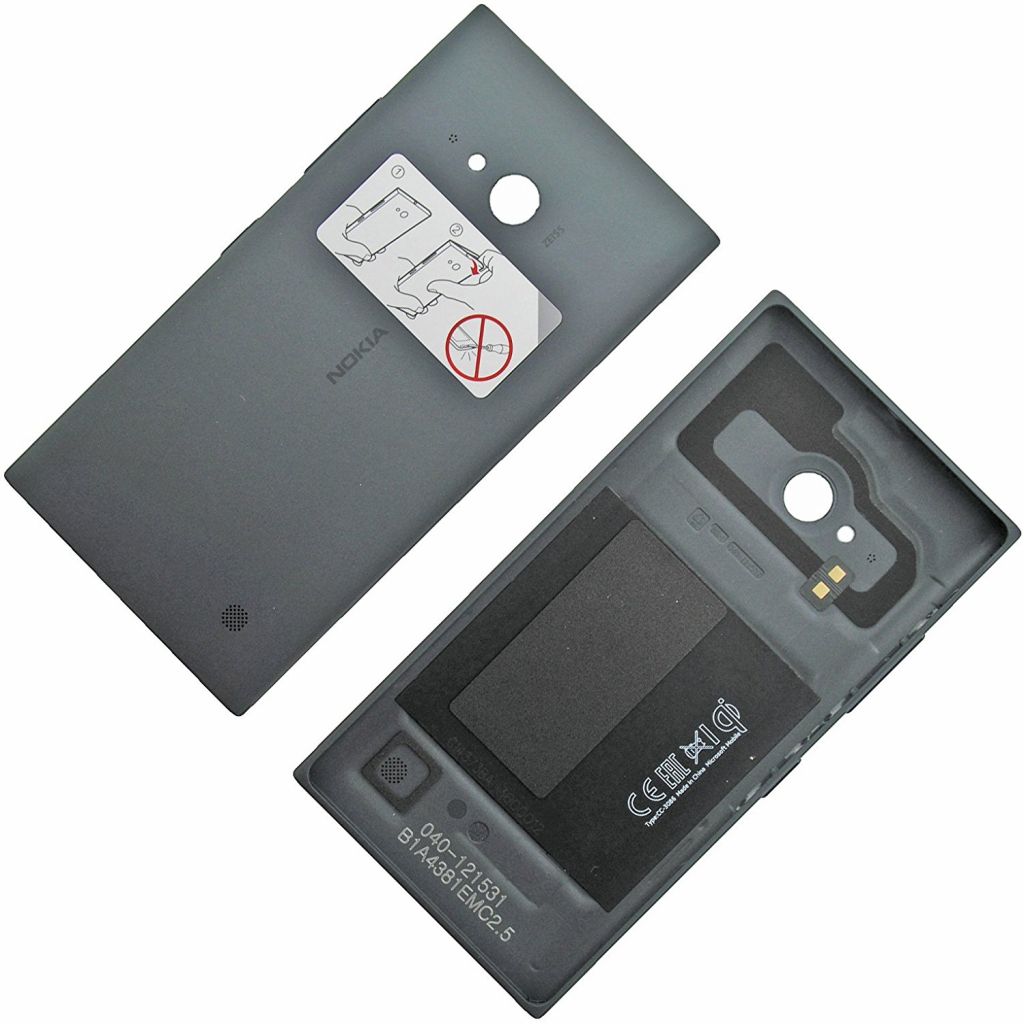
And, finally, there is still the option of replacing the back cover of your smartphone yourself.
NFC communication
When transferring data using NFC, there are some rules:
- Both devices must not be turned off or in sleep mode.
- Near field communication and Android Beam must be enabled on both devices.
- In order to transfer data, you need to bring two gadgets to each other and wait for a sound signal, which means that the devices have detected each other.
- Do not disconnect the phones until the second beep sounds to inform you that the operation is completed.
The technology can also be used to transfer files.

To transfer data, you need to do the following steps:
- make sure that you have completed the activation of NFC and Android Beam;
- unlock the device, exit “sleep mode”;
- check device detection with each other;
- connect;
- transfer data between devices;
- a specific beep will sound at the end.
How to find out if there is an nfc module in the smartphone
To find out if your smartphone has nfc installed, please refer to the manual. The manufacturer indicates the presence of technology in the technical documentation. But you can check the presence of the module manually. For this you need:
- Open smartphone settings.
- Find the technology icon or NFC abbreviation in wireless networks.
- At the same time, you can check if the technology is enabled. To do this, open it and check the status of the slider.
The NFC icon is also located in the system’s quick menu next to the Wi-Fi and Bluetooth icons.
Where is the nfc module
The chip itself is built into the board, and the antenna is placed under the back cover. In this case, the user can manually install the module. For this you need:
- Select and purchase the appropriate module.
- Place it inside or outside, depending on the type of device. If an antenna is installed, you need to remove the protective film from it and attach it to the SIM card. In this case, the block must remain outside. If a label is used, it is enough to attach it to any free space under the cover.
- Install the application to connect the module.
- Set it up following the instructions.
There are several options for modules, each of which is connected in its own way. Before starting work, it is recommended to read the relevant instructions.
How to set up the nfc module on the phone
To start working with the module, make sure you have it. Then turn it on:
- Go to system settings.
- In general settings, open network settings.
- Go to wireless networks.
- Find NFC and open the corresponding tab.
- Turn on the technology by moving the slider.
On android version 8.1 and higher, you need to open not network settings, but connected devices. Further actions do not differ from those described above.