 NFC Expert
 How to set up contactless payment on your phone?
The current level of development of computer technology allows users to pay with a smartphone instead of a bank card. How does this happen? This transaction method is classified as contactless. It is able to fully replace the bank’s plastic card in the near future. The most popular smartphone companies have launched their personal services.
This payment method can be used for both debit and credit MasterCard products. At the same time, their tariff plans are complete analogues of standard plastic. The list of financial companies that actively support the service is not limited to the territorial boundaries of our country. Payment devices can be found anywhere in the world. Among domestic companies, we can distinguish:
- Promsvyazbank
- Alfa-Bank
- Russian Standard
- Sberbank
https://www.youtube.com/watch?v=FAcoR9cLF_U
“Near field communication” technology is used to exchange information between devices at a distance of about 10 cm. An additional NFC connection is not required, since it is a chip built into a smartphone. This type of communication generates an electromagnetic field necessary for the exchange of data between devices.
Connecting the function is simple:
- in “Settings” find the section “Wireless networks”
- turn on the NFC module by pressing, confirm the item “Allow data exchange when combined”
- NFC tag can be found in the quick menu, where the Wi-fi key is located
In order for NFC to work, an application for linking card details is installed on the phone. It remains only to bring the smartphone to the terminal with a section on the case in which the NFC sensor is installed. For the convenience of the user, it is marked with a sticker.
A modern smartphone with a special application allows using a contactless payment method. Contactless services were pioneered by Apple, Android and Samsung. Their users have long used smartphones to pay for goods and services.

NFC support is available on smartphones of the following models:
- Apple iPhone models since 6S series
- Samsung Galaxy smartphones
- mobile devices on the Android platform. A huge number of brands of phones work with Android Pay: LG, Acer, Lenovo, Fly, Asus, Sony, Huawei and others
There are two ways to verify the presence of contactless technology on the device:
- check for the presence of the NFC abbreviation on the gadget’s battery, on its inside or outside (to do this, carefully remove the case cover, remove the battery)
- you can make sure that NFC is available by checking the settings (open the “Wireless networks” tab, then select “More”, find the item about NFC chip settings)
Contactless payments allow you to pay in Russia, abroad through terminals that support contactless technology, in online stores. Transactions are carried out instantly, and it is not necessary to keep bank cards nearby all the time.
A payment terminal that supports contactless technology is equipped with a special sign. It’s a “radio wave” sticker or the Android Pay logo. The NFC payment system is free to use and completely secure. The advantage of the technology is that in the process of payment, a virtual account or card is used to maintain confidentiality.
Contactless payment cards: what you need to know
Sberbank became the first Russian bank to introduce contactless payment technology. In 2007, the PayPass option was integrated into plastic cards for cashless payments with one touch in the amount of up to 1000 rubles. Today the bank works with three major systems Apple Pay, Android Pay, Sumsung Pay.
Sberbank cards are equipped with chips with FRID radio antennas. When a transaction is made, information about the transaction is transmitted to the bank. The purchase is reflected in the user’s personal account by online banking. The system does not allow failures and errors. The chip is the same full-fledged payment tool as a contactless bank card.

Sberbank cardholders make contactless payments using Android Pay. The technology has a number of advantages:
- allows the use of any number of plastic cards
- allows contactless payments through the application and payment via the Internet
For contactless payments, almost all Sberbank cards of the Maestro, Visa, MasterCard, MIR plastic systems are suitable.
Contactless payment is one of the ways to withdraw funds from the personal account of the card user, implemented through the presence of a special chip that sends a radio wave impulse to the reader and makes it possible to carry out transactions without direct mechanical contact and the message of a pin code (with a maximum amount of payment – 1,000 rubles).
Development is both very simple and reliable. It has the highest protection against personal data hacking and allows you to use the option in any equipment.
In Russia, payment cards with contactless payment technology have been issued since 2008, but so far they have not become widespread – only about 50 domestic banks issue them. Nevertheless, there is still a certain demand for this product – about 2 million Russians have contactless bank cards.
A contactless bank card is a “plastic” with a built-in chip with an antenna (RFID tag) that transmits information about the payment over the air. In stores that accept such cards, a special contactless terminal is installed.

To pay with a contactless bank card, you need to attach or bring “plastic” to the reader of the terminal. The operation does not require the introduction of a PIN code or a signature on the check. The maximum transaction amount is always limited – for cards of Russian banks it is 1 thousand rubles.
A contactless bank card can be debit or credit, classic or co-branded, standard or premium. The cost, terms of service and capabilities of such a product are determined directly by the issuing bank.
Contactless cardholders are protected from data theft by skimming or banal photography of “plastic” by unscrupulous cashiers and video surveillance services in stores. R The FID tag embedded in the “plastic” contains information about the number and expiration date of the contactless bank card, which, by the way, are transmitted to the reader in unencrypted form.
But unlike conventional magnetic and chip cards, “plastic” with contactless payment technology does not store information about the CVV code. For each subsequent operation, a dynamic one-time CVV is generated. Contactless “plastic” is more secure than a magnetic card, but inferior in this matter to payment instruments containing only a conventional chip.
For example, last year 2 million rubles were stolen from Russians using payWave and PayPass cards. With the help of self-made RFID readers, fraudsters read dynamic CVV from the cards of visitors to shopping centers, and then created their clones and used them to pay in stores in the near future.
Tip!
Some time later, when the owner of the “plastic” tried to pay for their purchase, the system, having discovered that CVV had already been used before, blocked access to the card account, but by that time there was already no money on it.
In fairness, we note that if you wish, you can protect yourself from such thefts with the help of “cards”, wallets, cases, cardholders or bags that shield radio signals, which have been sold on the Runet for several years.
Contactless payment technologies, despite being relatively new in Russia, have been around for more than 10 years. In 2003-2004, MasterCard and Visa began to conduct the first tests on the use of remote payment from bank cards. Despite the uniform standards of exchange protocols, the technologies of the two competing companies received different names:
- MasterCard PayPass
- Visa payWave.
How to use
Contactless payment technology works very simply:
- Check the amount of payment at the checkout, terminal.
- Bring your contactless card (0.5-1 cm) close to the reader or touch it.
- You see the inscription “Paid” (or synonyms) on the display and hear a beep – that’s it, the purchase has taken place.

The only thing that may be additionally needed is entering a PIN code or signing a check – if the purchase amount is more than 1000 rubles. The fact is that issuers of contactless cards set limits on such payments in different countries. In Europe, for example, you will need to enter a PIN code for amounts above 25 euros, and in the USA for amounts above 15 dollars.
Virtues
- Convenience — you don’t even need to take the card out of your wallet (provided that you have one contactless card there);
- Speed - the purchase is much faster, both the buyer and the seller benefit from this;
- Security – by not transferring the card into the wrong hands, you reduce to zero the possibility of leakage of card details.
Disadvantages
The main drawback applicable specifically in Russia is the low prevalence of terminals for contactless payment so far. Although if we talk about Moscow, then there are more and more such points: McDonald’s, Auchan, Azbuka Vkusa, KFC, Lukoil, Ikea, etc. A complete and up-to-date list with reference to the locality can be found on the MasterCard website.
Where to apply
At the moment, MasterCard PayPass cards are offered by more than 30 banks, among them: Alfa-Bank, Ak Bars, Raiffeisen, Citibank, Tinkoff, Sberbank, Promsvyazbank and others. Visa payWave cards can be issued at banks: Avangard, Alfa-Bank, Sberbank, Gazprombank, Uralsib, Tauride, UniCredit and others.
You can get a card with a contactless payment chip in both debit and credit. Moreover, the presence of such a chip does not necessarily make the card premium, with expensive annual maintenance. For example, MasterCard Standart “Contactless” with a cost of 900 rubles for the first year and 600 rubles for the next second and third years.
Contactless cards and stickersMasterCard PayPass and Visa payWave cards are bank cards that allow you to make contactless payments – you just need to bring the card to the reader at the checkout or terminal.

Avangard Bank cards are fully functional — the presence of a magnetic stripe and a chip with a dual (contact and contactless) interface provides the ability to pay at outlets that do not have equipment to accept contactless payments.
MasterCard PayPass and Visa payWave stickers are an analogue of bank cards, which also allow you to make contactless payments – you just need to bring the sticker to the reader at the checkout or terminal.
The size of the sticker is 30×40 mm, its reverse side has an adhesive layer with a protective film, after removing which the sticker can be attached to any convenient object, such as a mobile phone case or wallet.
Warning!
On the front side of the sticker there is a logo of the payment system, the name of the Bank, the validity period and the last 4 digits of the sticker number. When issuing a sticker to a client, it is placed on a plastic card, which bears the full number and name of the holder.
You can apply for a contactless card or a sticker on the website or at the Bank’s office.
Transaction limits
An application for issuing an additional card can be submitted via Internet Banking. The advantages of MasterCard PayPass and Visa payWave technologies include high speed and security of payment – the holder does not let go of the card/sticker, funds cannot be debited twice.
In addition, contactless cards and stickers are less likely to be subjected to mechanical stress and therefore wear out less. Contactless payment with MasterCard PayPass and Visa payWave cards and stickers is possible at trade and service points, as well as for passage at metro stations in Moscow, St. Petersburg and Novosibirsk, where terminals with logos are installed:
- Contactless payment is possible after the readiness signal lights up on the display of the reader
- To pay, you need to bring the card/sticker to the reader at least 4 cm
- For small amounts, it is possible to carry out an operation with a card without authorization – an SMS message about the operation may not be received. When performing an operation with a sticker, authorization is performed in all cases
- In some cases, a contactless transaction with a card may be interrupted and a transaction will be required using the contact chip of the card
- Contactless transactions in the amount of up to 1000 rubles can be performed both with and without entering a PIN, depending on the settings of the terminal. For all transactions in excess of 1000 rubles, entering a PIN is required
- For contactless transactions, a check may not be issued, however, at the request of the cardholder, a check must be printed
- It is not possible to pay with stickers in online stores that require the introduction of CVV / CVC codes, and cash withdrawal operations.
- When paying with a sticker, you need to bring it to the reader with the front side
- It is not recommended to place the sticker on metal parts of phones and other electronic devices
- In case of difficulties when paying with a sticker, it is recommended to change its position relative to the reader
Installing an external NFC module
Not all mobile phones have a built-in contactless payment function. Then an external NFC is installed on the device, provided that the back cover and the SIM card slot are removable. The special module is an external device for data transmission. It is compatible with most modern smartphones, allows you to use the NFC function without buying a new phone.
External modules for contactless payment are available in the form of SIM cards, chips, devices and stickers. Consider the features of popular NFC modules.
- Stickers are fixed on the body of the device. Passive stickers have a limited function, active ones allow you to use Wi-fi and Bluetooth.
- SIM cards with NFC function are sold by mobile operators. S IM-cards of this type are simply inserted into the phone.
- NFC antennas, like SIM cards, are sold in mobile phone stores. They are connected to the SIM card and inserted into the smartphone.
External modules are safe, easy to install and work without special applications, but do not perform all the functions of contactless payment programs.
An interesting device for contactless payment is the NFC tag. This device is in the form of a chip, which is attached to the phone, clothes or under the skin. The tag is compatible with all gadgets, suitable for storing information, contacts, settings, email addresses and commands. The data from the tag is read using the official Google Play application.
Payment systems
In addition to bank cards, you can make contactless payments from virtual wallets of various payment systems. For example, the Yandex. Money. If your phone is equipped with an NFC module, the system will automatically issue a virtual card with an inverted WiFi icon.
https://www.youtube.com/watch?v=X88MlHAEvsM
We will separately mention the MIR payment system, which also issues cards with contactless payment, but the system itself is not supported by all banks. For more information, contact your bank branch.
How to pay by phone?
ApplePay
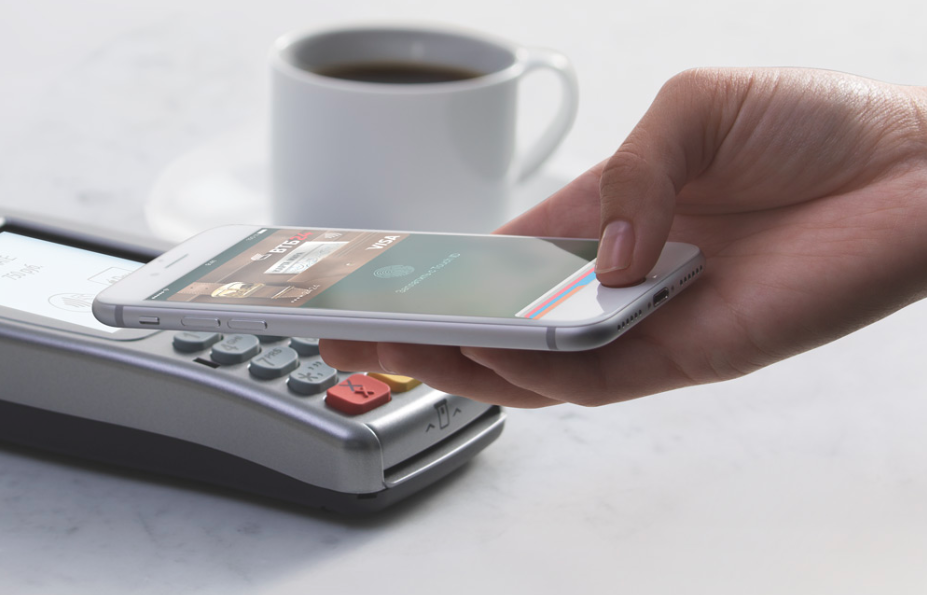
The service is based on Apple’s iOS operating system. To pay for a purchase in the store, you need to bring the phone to the contactless reader of the terminal and at the same time touch the TouchID scanner with your finger.
Visa QIWI Wallet
Available for Android4 and above smartphones with NFC function. To use the “nearby” payment service, you need to disable the screen lock, bring the phone to the terminal and – voila! – a check appeared, and all transactions were reflected in a mini-statement in the application itself.
SamsungPay

Designed for the latest Samsung Android models. The “chip” of the application is in the additional (along with NFC) data transfer technology – MST or “magnetic secure transfer”. The developers claim that using the application on a smartphone, you can pay for purchases at almost any terminal that accepts bank cards.
“Purse”
Unlike its counterparts, the application works on Android and iOS, using the built-in wireless payment capabilities. A feature of this service is the “cloud” version of the Wallet, thanks to which you can download a virtual bank card to your phone without visiting a bank branch.
As we can see, the main difference between all mobile platforms is the internal proprietary technologies that underlie them and the operating systems that support them. Everywhere you need to remember about a small limit on payment without entering a PIN code (it is convenient when the PIN code is forgotten at all by the way), signature or some other verification of the client. Each system is convenient and easy to use.
So, you have an NFC module in your phone, you know what contactless payment is and actively want to use the technology. Let’s look at how to set up contactless payment on your phone.
The device looks like a regular watch, but it has a built-in NFC module. You can install the same applications on the watch as on a smartphone, maps are also added here, respectively, the instructions for connecting are similar to the algorithms for phones. To use contactless payment, just bring the gadget to the terminal.
Contactless payments on smartphone
NFC (Near Field Communication) is a technology for data transmission over short distances, and its main feature is that it is based on and fully compatible with the ISO 14443 standard, which integrates most modern contactless smart cards: MasterCard PayPass bank cards and VISA PayWave, Troika and Plantain transport cards, office and parking passes, and many others. Roughly speaking, all this has long been working on NFC technology.
A payment card (or smart card) is a microprocessor placed in a metal case, which, in turn, is installed in a plastic rectangle of a certain size. The microprocessor has its own operating system, where the payment application of a particular service provider is recorded, which is then “combined” with the payment data of a particular client.
Attention!
The process of this “combination” is called personalization and it is carried out in the so-called persoburos, which can be either divisions of service providers or individual companies in the market.
The data on the card is encrypted and closed with special keys, so it is impossible to change it later. In addition, it is possible to distinguish between the state of the card before and after personalization, which means that the possibility of falsifying any data after the card is issued is completely excluded.
For a plastic card, a certain standardized form was important so that the card could be read in any terminal, but with the transition to contactless cards, the form ceased to matter, which makes it possible to use the card as a “carrier” (a microprocessor with a payment application) practically any object, be it a bracelet, watch, key chain, plastic card or phone.
In order to use a mobile phone as a carrier of payment cards, it is necessary to install a similar microprocessor into it, where payment applications can be written. Such a microprocessor in the phone is called the Secure Element, and the NFC module acts as a controller.
Tip!
The Secure Element can be either built into the phone’s motherboard or located on a detachable module: SIM card or SD card. In the new version of OS Android 4.4. KitKat has the ability to run “card” applications without using the Secure Element thanks to Host Card Emulation (HCE).
Thus, the operating system itself allows you to emulate cards, the data of which, in turn, can be stored either in it (permissible for loyalty cards and discount cards that do not require a high degree of security), or all in the same Secure Element ( for bank and transport cards that require secure storage), or even on a server on the Internet (however, in this case, fast and stable Internet is required to make a payment).
If the phone has the same microprocessor as plastic cards, then the same payment applications can be stored in the phone and contactless payments can be made by bringing the phone to the reader.
Cellular operators were the first in the Russian Federation to try to transfer the card to the phone, for example, MTS and Russian Standard Bank, Megafon and a transport card in Yekaterinburg, Beeline and a transport card in Kazan, etc. .P.
To do this, they needed to purchase special SIM cards with a Secure Element, arrange with a transport company or bank to enroll a payment application on these cards, carry out the “contact personalization” process, and then exchange subscribers’ old SIM cards for new ones .
Consumers had to visit operator service centers to change SIM cards, and ended up with only one specific card in their phone, after which the whole operation will have to be repeated after the expiration date. However, if customers need several different cards and in different regions, then the SIM card will have to travel a long time before falling into the hands of users.
Fortunately, the phone is an interactive device that is always connected. Consequently, it is possible to remotely record payment cards and exactly those service providers that specific users need.
TSM allows Secure Element holders not to integrate with every service provider and not to bring “card carriers” to all of them for contact personalization, and service providers not to connect to all operators and phone manufacturers.
Cellular operators, handset manufacturers and service providers need only connect to TSM using a standard protocol and integrate with many partners at the same time. For end users, this is also an opportunity not to depend on the phone model or operator, if necessary, the services of a particular bank or transport company.
The TSM platform remotely controls the Secure Element chips in users’ phones through a secure communication channel, using the phone itself as a modem. The keys from the Secure Element are stored on special HSM (Hardware Security Module) servers, which are an integral part of the TSM, and without the participation of the latter it is impossible to gain access to the chip.
Warning!
Based on the order of the service provider, TSM writes (or deletes, for example, in case of loss of a smartphone) card data in the Secure Element, and also allows you to remotely audit issued cards or, for example, view the current balance of fare cards or loyalty cards to display on the phone screen.
For which issued card the user chooses to activate the payment mode, through the user application “Wallet”, which displays issued and available cards for issuance, and also accepts applications for issuing new ones. The service provider, upon receiving a card issuance request, transmits this data to the phone’s Secure Element via the TSM platform.
Today, a bank card issued in the “Wallet” can pay for purchases in stores that accept MasterCard PayPass cards around the world, and Internet access on the phone is not required for this.
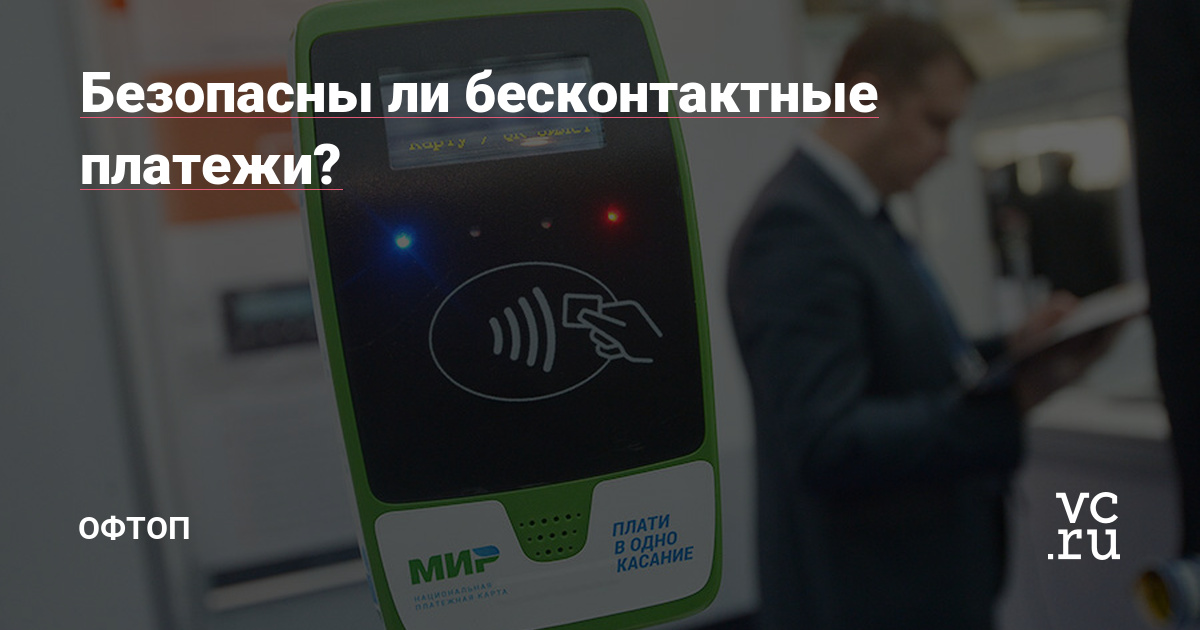
Bank terminals at such points of sale are marked with a contactless payment logo (oval logo with waves to the right), which is placed exactly in the place where the antenna is located in the reader, and it is necessary to apply the phone (where the antenna is located in its case) to this logo, even if it is on the terminal screen.
Bank terminals equipped with contactless readers have 4 color indicators. The first means ready for work, the second means reading, the third means reading is completed and you can remove the card, and the fourth is the result of reading.
When paying with a bank card on the phone, as with a regular plastic card, you may be asked to enter a PIN code (which can be obtained by calling the bank) or to sign a check. For purchases under RUB 1,000, neither a PIN nor a signature is required.
The updated mobile banking app is already available on Google Play.
Unlike contactless payment with a bank card, which really takes place with one touch, in the Tinkoff application, before each payment, you will have to enter the access code to the mobile bank.
Clients can activate the service on their own in the “Services” section. It is also possible to independently change the “Limit for contactless payment” in the “Security and limits” section of the mobile bank.
In September, the possibility of contactless payment appeared in the Visa QIWI Wallet application. According to QIWI, the main users of the new service are young men aged 25-35 living in the capital.
Contactless payments require not only a chip in the phone, but also a Secure Element with access. The application is present only for some models, for example, Sony, Phillips, HTC. The rest of the smartphones make calculations with one touch when accessing the Internet. An NFC chip without a Secure Element retains all contactless payment features, but is not suitable for purchasing tickets on public transport.

The choice of applications for contactless payment via mobile phone is quite wide.
| Samsung Pay | The program is designed for contactless payments via Samsung phones, suitable for all terminals that accept plastic with a magnetic stripe |
| Apple Pay | The service works together with the Wallet program integrated into the iPhone. The application allows you to pay via the Internet and terminals with a contactless function |
| Android Pay | The application is designed for phones with the Android operating system, used for contactless payment, making purchases via the Internet |
| Yandex. Money | System of non-cash payments for payment for goods, services. After installing the poison, you need to go to the “Contactless payments” section, where the virtual MasterCard card issued to the user will appear. The Yandex system sends a security password for debiting amounts of more than 1,000 rubles. |
| Visa QIWI Wallet | The wallet is linked to the phone using a password from SMS. Purchases up to 1000 rubles. are made after the screen is unlocked, larger payments require a PIN |
| Sberbank Wallet | Application of the Savings Bank of Russia, downloaded via Google Play, suitable for phones running Android 4.4 or higher |
How to use the bracelet
According to Visa, more than a third of those who do not use contactless payments are ready to start paying with a smartphone in the future. By the end of 2017, all new cards issued by Sberbank, except for instant and electronic cards, will support NFC. And VTB Bank records a 2-fold increase in the share of cards with contactless payment and expects their further increase in the hands of the population.
One of the main dangers is fraud or card fraud. For example, in the UK last year, cardholders suffered £618m in damages, compared to £609.9m a year earlier. Contactless cardholders suffered £6.9m in damages. And it’s important now to tell people about security rules before they lose the money on the cards.
The material was published by the user.
Click the “Write” button to share your opinion or talk about your project.
Write
We have examined in detail the contactless payment method with a card and a smartphone, and now we will find out how to use smart gadgets.
Externally, the bracelet resembles an ordinary watch strap. An NFC chip is inserted inside, thanks to which transactions take place. By the way, the chip is easily removed and connected to other devices. The bracelet comes with a mini-tag card, which must be inserted into a special slot in the device. Next, synchronize the gadget with your smartphone and add a bank card. Now you can start using contactless payment! You only need to bring your hand to the turnstile in the subway or to the pos-terminal in the store.
In order to apply the technology in practice, it is necessary to have a cash balance on a personal deposit. Then a card with the PayPass function will be active where there are readers that have this functionality. As a rule, these are shopping centers, a pharmacy chain, entertainment facilities and a transport system. The instructions for making payments are as follows:
- Checking the purchase price.
- We bring the card closer to the payment machine.
- We receive a sound signal about the debiting of funds.
The user can deposit money into the account at the terminal of a specific bank or through cash desks in one of the branches.
Shopping in this way is easy and convenient. Just enough:
- Specify the amount to be deducted from the account – do it on the terminal.
- Bring the card as close as possible to the payment device.
- After the sound notification signaling the completion of the transaction, remove the plastic.
And one more thing that worries many novice users of the application. How exactly to apply the card? There are no fundamental recommendations for this – the main thing is that the plastic should be brought by the back side to a distance that can pick up the signal of radio waves, in our case it is about 10 cm.
Contactless payment by Xiaomi phone
In Russia, settlements via Android Pay are carried out everywhere using terminals and cards with PayPass, PayWave functions. Phones with the application can pay with one touch in all retail chains. To make a payment using the Android Pay application, you need to bring your smartphone to the terminal for a couple of seconds. If the transaction is successful, the inscription “Approved” will appear, with the help of a signal, the terminal will inform about the payment.
Depending on the state of the bank settings, the terminal may request to enter a code or sign a check. Sberbank when making contactless payments in the amount of more than 1,000 rubles. requires a PIN.
Features of contactless payments via Android Pay:
- the system allows you to carry out three transactions in a row for up to 1000 rubles. each, on the fourth transaction, you will have to unlock the smartphone using a pattern or fingerprint
- connection of several plastic cards is allowed (in this case, the user will have to select the main plastic as the default payment method)
- Android Pay allows you to pay in mobile applications and on websites via Google Chrome (the service is available in Uber, OneTwoTrip, Rambler cash desk, Kinokhod, Ozon, Yandex. Taxi and other applications)
- the system accepts payments through Yandex. Checkout”, Assist and Payture
When making payments, Android Pay does not use data on connected cards. The system creates copies of them to transfer information to the seller. Details of real plastic are stored on Google servers. Disabling data from the Android Pay app is deleted. Despite good protection, the creators recommend setting the lock by gesture, fingerprint. If the phone is inactive for 3 months, the information is automatically deleted.
https://www.youtube.com/watch?v=TphQapE_-LM
Smartphones and tablets from Xiaomi are becoming more and more popular. Most of the manufacturer’s models are suitable for contactless payment using Android Pay. To install a contactless payment system, a Xiaomi device must:
- keep factory firmware, bootloader lock and disabled root rights
- have an NFC chip (after installation, a phone without a chip can be used for payments in online stores and applications)
- to be included in the list of models that support the full mode of Androi Pay. NFC chip equipped models MI2A, MI3, MI5, MI5s, MI5s plus, MI6, MI note2, MI mix
Short-range communication sensors are not installed on Redmi and Mi Max models. Most Xiaomi models come with plastic cases. Android Pay works well on phones with metal inserts (Xaiomi MI5 and MI5s).

In the process of using the application for contactless technology on Xiaomi, users encounter difficulties, for example, payment does not go through, there is no reaction to the terminal. Problems may be related to outdated firmware, in which case the system needs to be updated. After installing the new Xiaomi OS, users make contactless payments even without bootloader lock. Sometimes you need to install root-rights administrator.
If there is no reaction of Android Pay/Xiaomi to the trading terminal, a number of simple settings are made:
- through “Settings” go to the section “Security”
- select “Permissions”, “Other permissions”, Android Pay and check all the boxes
- in the “Security” section check the box “Autostart”
- through “Settings” go to the “Battery” tab, then “Battery consumption by applications”, set permission without restrictions for Android Pay
After making the settings, check the functionality of the function.
Has not yet started working in the Russian Federation, but should be launched in the coming days. Android Pay differs from other contactless payment services in that it is not tied to any phone model. The main thing is that the smartphone uses the Android operating system.
It is planned to integrate Android Pay with other Google services. Therefore, developers can see all transactions. This information is needed by Google for advertising purposes. Probably not all end users will be happy with this.
Identification in Android Pay occurs after verification of biometric data or entering a PIN code. The operation of Android Pay resembles similar competing services. User data is securely encrypted using a one-time token that is created for each payment. Neither fraudsters nor payment terminals can see them.
Contactless payment by Android phone
The Android Pay contactless payment system allows you to use smartphones, smart watches, bracelets and other gadgets to pay, make transfers in phone applications, such as Uber. The system operates free of charge without commissions. In addition to Sberbank, Android Pay works with many Russian banks, such as Alfa-Bank, Tinkoff Bank, Raiffeisenbank, VTB24, Russian Standard, Yandex. Money”, etc.

Android Pay connects to smartphones with an NFC chip on systems:
- Android (4.4)
- Lollipop (5.0, 5.1)
- Marshmallow (6.0)
- Nougat (7.0, 7.1)
In order for the installation of Android Pay for contactless payments to be successful, the factory firmware must be saved in the smartphone. It will not work to connect the application if root rights are obtained and the bootloader is unlocked.
PayPass – contactless payment technology
The following facts speak in defense of technology safety:
- Small connection radius;
- The opinion that any terminal (even one bought by scammers) can arbitrarily debit money from your card account (for example, in a crowded subway car) is erroneous, because special cryptographic keys for reading such information are issued to organizations only after the conclusion of an official contract with a bank;
- You can connect SMS informing to your phone and control all contactless transactions;
- Latest phones require an additional press of Touch ID;
- If you have correctly integrated the card with your smartphone, you may not carry it with you at all, which means you will not accidentally lose it;
- There is a restriction on conducting transactions without a password, for example, the contactless payment limit at Sberbank is 1000 rubles. Other financial institutions have a similar limited amount. If the amount of the payment exceeds the limit, you will have to pay in the standard way.
The first PayPass contactless payment technology was developed in 2002 by the popular MasterCard payment system. Initially, key fobs were contactless devices for “near” payment, but already in 2014, MasterCard, together with Apple, launched the ApplePay smartphone platform, which allows you to pay for purchases with one touch of your phone.
Visa joined the new trend after 2 years. So, in 2004, contactless payment technology VisapayWave appeared. Just like with ApplePay, two powerful systems (Visa and Qiwi) have teamed up to create the Visa QIWI Wallet mobile application.
PayPass is a contactless payment technology that MasterCard bank cards are equipped with. Using PayPass technology, to pay for goods, it is enough just to attach a card with a special built-in microprocessor to the terminal. Watch an interesting video with a demonstration of contactless devices below!

PayPass technology is, simply put, a contactless interface for already existing cards. In fact, this is a chip with an antenna that is built into an existing plastic card and, depending on where such a card is used, determines which payment application this card interacts with.
The microprocessor with the MasterCard PayPass payment function can be inserted into wristwatches, as was done in Taiwan, into key fobs (USA, Spain, Turkey), into mobile phones or into any items that a person is used to carrying with him daily.
PayPass is a convenient alternative to cash that allows you to quickly, safely and easily make small daily purchases. Now, when making a purchase, consumers will not have to suffer with banknotes and coins, and will not need to swipe a card through a reader or sign checks.
- To make a transaction, the consumer simply touches a specially equipped terminal with a card that supports PayPass technology. Experts believe that PayPass is a very useful technology in an industry with low transaction costs and high transaction frequency, such as transportation.
- It is expected that PayPass technology will become widespread in the future, but there are opinions that for this it will be necessary to strengthen the security of transactions, because. there is a possibility of interception of data from the card using an alternative reader.
- PayPass technology was first introduced by MasterCard in December 2002 and has since become widespread throughout the world. At the end of 2008, MasterCard released the 50 millionth PayPass contactless device.
MasterCard claims that, according to a 2008 survey, 77% of PayPass device users used them as their primary means of payment. According to MasterCard’s 2010 financial report, PayPass technology has already been launched in Bulgaria, Slovakia, Romania, Turkey, and 300,000 such cards have already been activated in Italy.
In total, by the middle of last year, about 80 million devices using this technology were produced in the world. The true potential of contactless payments is that they equally benefit all parties involved in the transaction: consumers, financial and merchant enterprises.
PayPass allows financial institutions to offer their customers a greater number of available payment methods, and issuers to increase the total turnover on cards, as it attracts non-cash funds, increases the loyalty of account holders to card programs, and also allows you to equip fast-service enterprises to accept cards .
Warning!
PayPass technology can be used as an addition to any banking card programs: credit, debit, prepaid, co-branded, small business programs, etc. MasterCard PayPass also makes the functioning of merchants more efficient, allowing them to improve the level of customer service.
By reducing the number of cash transactions, PayPass speeds up the checkout process, increasing payment efficiency and providing a competitive advantage. McDonald’s was the first merchant to evaluate the potential of PayPass back in August 2004, followed by other American merchants.
Interest in products based on PayPass technology is not limited to retail businesses, as PayPass is actively used in most Major League Baseball and National Football League stadiums, as well as in a number of golf competitions.
MasterCard and its partners use contactless payment technology for use in turnstile systems, as well as vending machines equipped to pay with PayPass. According to Barclays Bank LLC, the first contactless payment using PayPass technology in Russia was made on September 9, 2008.

Moscow Industrial Bank was among the first to announce the issuance of PayPass cards in Russia. The project started in autumn 2010. It is planned to issue 15,000 cards for teachers and students of the Financial Academy under the Government of the Russian Federation. This card serves not only as a purse in the student cafeteria, but also replaces the student’s record book and student card. For the future, the bank plans to issue similar cards in other universities of the country, bringing their number to 100,000 within a year.
Starting March 1, 2011, Raiffeisenbank offers its customers World MasterCard Black Edition cards. They will support contactless PayPass payments, and are equipped with a magnetic stripe and a microchip. However, it should be taken into account that the card is issued free of charge to customers as part of the “Premium” service package. To do this, you need to have a minimum account balance of at least 2 million rubles.
However, you can get by with one million if you spend at least 25 thousand rubles on the card per month. For other customers who do not have the required balance on their account, monthly card maintenance will cost 3 thousand rubles. In the near future, the bank plans to issue credit cards with PayPass technology.
A similar contactless payment technology called payWave exists in the Visa payment system.
Recognizing the importance of a consumer receiving a consistent level of service in any merchant in the world that accepts cards, MasterCard, Visa and JCB Co. Ltd. entered into an agreement to adopt MasterCard PayPass ISO/IEC 14443 as the unified protocol for RF contactless payments.
The agreement implies that cards and terminals supporting the contactless payment applications of these organizations must comply with a single protocol and undergo a single test, thus ensuring interoperability of all three brands.
Attention!
The advantages of cards that support contactless payment technology, in addition to fashion and novelty, include, first of all, versatility – contactless bank cards of the usual format can be used not only in rare yet new devices, but also in the entire multi-million army of ATMs and payment terminals in all countries of the world.
Unlike payments by phone, payments using bank cards of the MasterCard payment system are no longer exotic, and are now available almost everywhere.
- The benefits include a longer service life of cards, which naturally wear out less during contactless payments.
- But the most significant advantages are the convenience and speed of paying small amounts in transport, at gas stations, in cafes, supermarkets, etc.
- New cards are well protected from scammers. In addition, with contactless payments, the card remains in your hands, which reduces the risk of unauthorized manipulations with it by service personnel.
- But there are also problems, the most important of which is the lack of the necessary infrastructure for contactless payments.

Creation of a network of new terminals requires considerable expenses, and neither banks, nor trade and transport enterprises are in a hurry to invest in them. And this is not only a Russian problem – in the UK it took 3 years for 10% of stores to install contactless payment terminals.
Pros and cons
So, we figured out how to connect contactless payment, and, in conclusion, we will consider what can be paid in this way and what are its pros and cons.
Among the advantages are saving time, no need to hand over the plastic to the cashier and enter the pin code. N FC chip does not demagnetize and does not wear out, nothing is guaranteed to happen to it during the entire validity period of the card.
Disadvantages are also present. Today, retail outlets are not required to purchase contactless payment terminals, so they are not found everywhere. They are more expensive to maintain, so many entrepreneurs are in no hurry to purchase them. Contactless payment in the metro is valid only in Moscow, St. Petersburg, Nizhny Novgorod, Kazan and Novosibirsk, and not at all turnstiles, but only at those marked with a special icon.
Contactless today you can pay for the subway, gasoline at gas stations, purchases in supermarkets, bills in cafes, restaurants and boutiques in shopping centers. In a word, make any payments in establishments equipped with an appropriate payment terminal. It is convenient, efficient and safe. Today it is one of the most innovative methods of making smart transactions.
Tags: NFC