 NFC Expert
 Step-by-step instruction and training videos on paying with a smartphone
The Mobile Ticket service is available to all residents of Moscow who have connected it and received another SIM card.
How to pay the fare using your phone:
- Find out how much money is in the account. The required amount will be debited from it, so it is better to replenish it first.
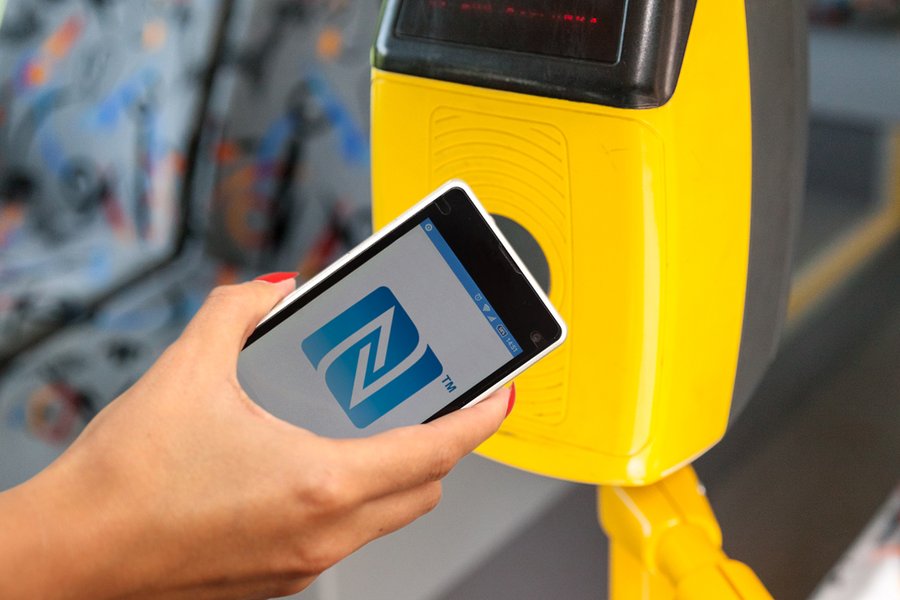
- Attach the device to the subway turnstile. Nothing else needs to be connected. The fare will be debited by default.
- The amount remaining on the account is checked by logging into the operator application or sending a message to 3210.

Payment instructions
Today, you can pay for trips with a cell phone not only in Moscow, but also in other large Russian cities.
Quite recently, a new method of paying for a trip in the subway using a smartphone has become available. Well-known communication companies provided such a convenient service by releasing a batch of special SIM cards.
Before you start using the proposed service, you need to make sure that your cell phone supports it. So far, the option in question is available only to owners of modern gadgets – it is worth connecting it to the company serving the number, guaranteeing compatibility with NFC contactless communication.
Almost all new models of devices released relatively recently are equipped with a similar function. First of all, this applies to the Iphone and analogues running on the Android operating system. Even if the developed device is compatible with contactless communication, you still need to purchase another SIM card for such purposes.
In order to be able to pay for the road using your mobile phone, you should first make sure that the gadget is compatible with NFC contactless communication. Access information can be found in the standard smartphone settings, because modern models already have installed modules.
If the phone does not have NFC equipment, then the owner of the smartphone is recommended to purchase an adjacent antenna (choose the appropriate option – internal or external).
Even if the mobile is compatible with contactless data transfer, the operator’s SIM card still needs to be changed as follows:
- Visit a consumer service center and exchange a SIM card (it is noteworthy that the number remains the same).
- After the necessary change of the card, the client is obliged to activate the service (subsequently, it is worth monitoring the periodic updates of the application).
- Confirm the message that came from the number 3210 (you need to answer it with an SMS “1”).
What tariff can be recorded on the “Mobile ticket”?
But here there is one drawback. For a simple entry on a Mobile ticket, only one tariff is available – “Wallet”, and the cost of travel on it is not small. Some users were able to record “Single” on it, but this requires a second phone with the “My Pass” application.
| Trip | Cost rub. |
| 1 metro and monorail trip | 36 |
| 1 ground transportation trip | 36 |
| 90 minutes | 56 |
If you rarely use public transport, this billing will not bother you.
Advantages and disadvantages
A convenient method of payment in underground transport is gradually gaining more and more popularity.

Among the main advantages of the application called Mobile Ticket, it is worth highlighting:
- free connection, no notification and installation fees;
- bonuses from some operators for further use on the Internet;
- lack of restrictions and constant control (it is replaced by auto-replenishment);
- access to fares even with a zero smartphone balance.
Among the flaws that can create additional problems, it is worth noting:
- intermittent glitches when activated at the terminal;
- in case of smartphone discharge, you have to purchase a standard ticket;
- sometimes the module connects with delays, does not respond to application attempts;
- so far the system operates only in large Russian cities.
The effectiveness of the alternative fare payment by the mentioned method directly depends not only on the chosen operator, but also on the phone settings.
https://www.youtube.com/watch?v=6-aHg33pOLs
But such an addition on a smartphone makes life much easier for passengers, since there is no need to waste time buying a ticket by itself.
In addition, Mobile Ticket is constantly updated, so there is reason to count on more bonuses.
How to activate Mobile ticket?
“Mobile ticket” can be activated on many modern smartphones with the “Mobile payment” function based on Android and iOS, this requires the presence of NFC technology, as well as a special SIM card with the connected option.
To check if Mobile Ticket will work on your phone, check out the list of smartphones that support the service.
If it is on the list, contact your operator to replace the SIM card with a special one with an NFC chip. Outwardly, it does not differ from the standard SIM card. M TS, Beeline and Megafon change SIM cards for new ones for free without any problems!
Step-by-step instructions and training videos on paying with a smartphone

Any resident of the capital who has a suitable SIM card and activated Mobile Ticket service can use the service.
You can pay the fare using your phone according to the following algorithm:
- Check the balance on your account (via the application or sms to 3210).
- If the deducted amount is not enough, top up your mobile phone account.
- In the subway, hold your smartphone to the turnstile in the subway.
- Wait a couple of seconds until the funds are debited and go through the turnstile.
For the e-payment function to work properly, only two conditions are necessary: a well-charged smartphone (turned on) and a suitable balance so that there is enough money for a paid trip.
In rare cases, failures occur, and the system freezes, slowly reading information from the gadget. Then you need to either restart the device, or contact the metro staff to resolve the delay.
How to use NFC on your phone to travel on the subway?
To use the chip, the device used must support Android version 4.4 KitKat or later, since iOS smartphones are not capable of pulling this technology.
On the other hand, the fact of having a chip gives a chance to install the “Wallet” application and with an emphasis on the appropriate settings:
- linking the number to a bank card such as MasterCard;
- free issue of a mobile transport card in the menu tab of the same name;
- selection of a ticket of the appropriate format (in this case, for the metro) without commissions.
The payment scheme is considered to be absolutely safe, because in the process of its activation, information about the bank card data is not transmitted. Instead of the requested details, a personal security code (consisting of 16 digits) is used.
And when crossing the border, the application can be completely turned off (using the “On” command), and then the funds on the account will remain intact until the next activation.
How can I top up my Mobile Ticket?
When installing the application on a smartphone, there is an automatic replenishment of the mobile balance in the settings.
When there is no desire to use it on classical terms, you need to disable the function: send an SMS with the text “Off” to number 3210 and simultaneously replenish the account yourself through the command – send the text “payment XXX” to the same number, where instead of 3 X’s, you should indicate a clear amount of replenishment in rubles.
Constantly, when a smartphone is used, the required amount is debited from the balance of the Mobile ticket according to the tariff of the Troika card. If at a particular moment there are no funds on the phone, the application will still operate in the same mode. And in case of loss of a mobile device, it is really possible to return the funds by calling 3210 or the metro.
The process of paying for metro fares through an “assistant” in the form of a smartphone is a relatively new and convenient alternative to the usual tokens or cards. Undoubtedly, the application for mobile devices still has its flaws, technical limitations on models and is valid only in a few cities. But such a unique method is planned to be gradually introduced into the metro system throughout Russia.