 NFC Expert
 Where NFC is used
Many have heard that this technology allows you to quickly and contactlessly pay for goods and services. In fact, its scope is much wider and includes:
- transferring files, such as photos or audio, from one smartphone to another;
- access to private data – when NFC is used as an electronic key;
- for identity verification – when NFC will contain personal information about the owner of the device;
- to transfer funds from one smartphone to another – only if NFC is available on both devices;
- to output video from a smartphone to a TV – for this, it is necessary that both the mobile device and the remote control are equipped with the appropriate chip;
- for reading special tags – any information can be encrypted in them: contacts of a company or person, address, link to a website, etc.
Bad news: you can’t use NFC to its full potential
Alas, this is a sad truth. If NFC support is not built into your smartphone by the manufacturer, then no household tricks will help you equip it with all the features of this module.
Why? To answer this question, you need to understand what is behind the words “NFC support”. First, a special chip must be soldered into the smartphone’s motherboard. Secondly, the smartphone case must contain an NFC antenna that will transmit signals from the chip to the outside world. And thirdly, your phone’s operating system must be able to receive and transmit data using the NFC protocol.
Agree, if you are not a specialist in radio electronics and part-time programmer-system engineer, adding NFC to a phone without NFC with your own hands is quite problematic. Therefore, the only full-fledged way out is to buy a smartphone with NFC support. For example, from our selection of budget models.
Advantages of an NFC chip in a smartphone
- Security. Since the range of the chip is limited to 10 cm, no one outside this circle will have access to payment data or transferred files.
- Connection speed. It takes less than one second for a device to connect to another gadget or terminal. In older mobile phones and early smartphones, this procedure took up to 15 seconds.
- Energy efficiency. The NFC chip uses a minimal amount of power in operation. This is important in modern smartphones, which do not show the highest autonomy.
- Convenience. With this technology, routine operations are simplified, and you spend less time on them. To establish a connection with another device, a simple second touch is enough.
- Versatility. NFC technology is compatible with many other contactless solutions and can work (albeit with limitations) even when the smartphone is turned off.
How secure is NFC
NFC-enabled devices can both receive and transmit data at the same time, allowing them to detect inconsistencies if the received signal does not match the transmitted signal.
The risk of interception of your data is extremely small, especially given the minimum range of the technology. The same Bluetooth, operating within tens of meters, is much more vulnerable to external interference.
This also applies to payment details: the token generated for contactless payment will not allow intruders to gain access to your card. And the very fact of intercepting an encrypted identifier looks unrealistic.
In addition, contactless payment requires confirmation via fingerprint, password or face scan. Without all this, the purchase cannot be made. This means that even if the smartphone is stolen, no one will be able to use it as a payment instrument.
How to activate NFC in a smartphone
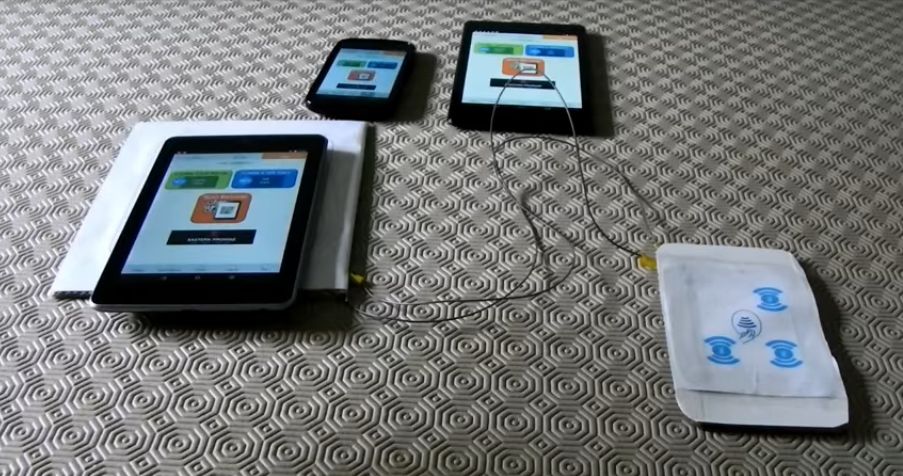
Open the settings menu of the mobile device, select the “Wireless networks” / “Wireless communications” section and find the item of the same name there. Most often, it is hidden in the “More …” tab. To activate the function, simply check the box that allows the exchange of information when the smartphone approaches another device or terminal.
If there is no NFC item in the section with a list of wireless networks, then the smartphone does not have this chip. Many manufacturers of mobile gadgets advertise this feature and place the name about it on batteries or back covers (as in Samsung), or even directly on the body (as in Sony). However, this is more of an exception than the rule.
The above methods are only suitable for Android smartphones. In Apple devices, the NFC chip appeared in the iPhone 6. At first, it was used only for the Apple Pay service, but in the latest smartphone models, the reading mode is additionally supported.
How to transfer data using NFC
This is the most popular way to use technology, so let’s take a closer look at it. You can attach a bank card to an NFC-enabled smartphone and then touch the gadget to payment terminals to pay for goods and services. You do not need to use the card itself – it can easily lie in your wallet or at home. This service will be available in all POS-terminals that support payment by contactless cards.
This option is available on smartphones with the Android Beam function on Android devices version 4.0 Ice Cream Sandwich or later. From one smartphone to another, you can send any information: a photo, user contacts, a link to a website or a video. You save a lot of time, because you no longer have to use cloud storage, email or instant messengers for this.
To start transferring data via NFC, follow these steps:
- unlock both smartphones;
- activate NFC in them, and Android Beam will start automatically;
- open the file, contact or other content you want to share;
- place the smartphones with their covers facing each other at a distance of up to 10 cm;
- wait for connection.
Sending data will start when you tap the display of the transmitting smartphone. Keep the devices as close as possible to each other until the transfer is over – you will know about this by sound notification.
How to create an NFC tag
Not only to read, but also to create tags, you can use this technology. In this case, its principle of operation is somewhat similar to the creation and reading of QR codes, but without the use of a smartphone photomodule.
The following actions can be the result of reading the tag:
- sending an SMS message or email;
- enable or disable Wi-Fi and Bluetooth;
- connection with another device via Bluetooth protocol;
- switching the smartphone to “flight mode”;
- launch of a mobile application;
- follow the link and many others.
What is Google Pay and Apple Pay?
Today Google Pay, and until February 2018 Android Pay is a system of electronic payments from mobile devices running on Android. Not only smartphones work with it, but also tablets, smart watches and other gadgets. The number of countries in which the service operates is approaching twenty. Russia joined them on May 23, 2017, and among the first were the United States, Great Britain and Singapore.
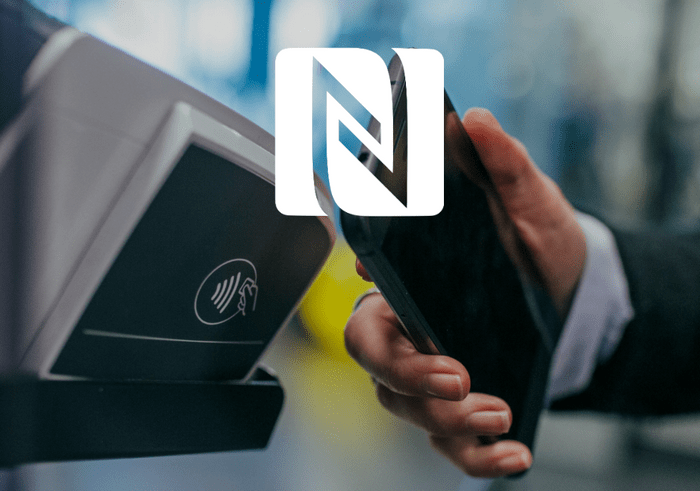
Android Pay is based on NFC payment, which replaces a PIN chip or magnetic strip on a bank card. There are two ways to add card data to the application: enter it manually or simply take a picture of both sides of the card with the smartphone’s built-in camera.
Making payments with Android Pay is easy: just bring your mobile device to the payment terminal and don’t remove it until the transaction is completed. To do this, it is necessary that the cash register be equipped with a modern NFC-enabled terminal.
How does a smartphone know that it is the owner of the gadget who pays for purchases? To do this, different methods of identity verification are used: a password, a fingerprint scanner or an iris scanner. For security reasons, payment card data is not transferred to the merchant – the latter receives only the generated virtual account number.
Apple Pay, a mobile payment system from Apple, works in a similar way. It has been available in Russia since October 2016 (in general, in almost 30 countries of the world) on iPhone 6 and older smartphones. As in the case of Google Pay, it uses the technology of “near contactless communication”, and the principle of operation of both systems is identical except for a few details. After the bank card is digitized by the Apple Pay app, you can pay with it where POS terminals allow it.
With a high probability, NFC technology will develop and be actively introduced into our lives in the future. Analysts predict its popularity not only as a means of payment, but also as a means of disseminating information about objects of culture, healthcare, tourism, as well as a means of access control.
https://www.youtube.com/watch?v=4MzeW_iYv3s
Have you already tried using NFC in your smartphone?