 NFC Expert
 How to find out if your phone supports NFC in quick settings
To find out if your smartphone supports NFC, you need to look in the settings of your Android device.
- Open the Settings app on your Android smartphone.
- Next, go to the “Connected Devices” section.
- Then check the entire list of items in this section if there is an NFC function, then your device supports NFC technology.
- Drag the slider to NFC active mode.

If after the above steps you did not find an item with NFC, it means that this technology is not in your smartphone. But you can still check its presence in another way.
https://www.youtube.com/watch?v=NNhIXoqt3P0
You can call quick settings by swiping from top to bottom. A menu pops up with icons to configure. If your Android smartphone has an NFC module, there will be a corresponding icon in the quick settings.
Below is a list of Android smartphones that support NFC:
- Alcatel Pop S7 7045Y
- Alcatel U5 HD and A7
- Xiaomi Mi6
- Xiaomi Mi5S
- Xiaomi Mi Note 3
- Xiaomi Mi Mix 2
- Huawei Honor 9
- Huawei Honor 6X
- Huawei Honor 5C
- Huawei P10 Lite
- Huawei Nova 2
- LG G6
- LG V30
- LG Q6 and Q6
- LG X Venture
- Lenovo P2
- Samsung Galaxy Note 8
- Samsung Galaxy S8
- Samsung Galaxy J5 (2016)
- Samsung Galaxy J7 (2017)
- Samsung Galaxy A5 2017
- Sony Xperia L1
- Sony Xperia E5
- Sony Xperia XA1
- Nokia 3
- Nokia 5
- Nokia 6
- Nokia 8
- Asus ZenFone 4
- Asus ZenFone 4 Pro.
- Asus ZenFone 4AR
- Blackview BV6000S
- Blackview BV8000 Pro
- Wileyfox Swift 2X
- HTC Desire 530
- HTC U Ultra
- HTC U11 and U11 Plus
- Google Pixel 2/2XL.
- OnePlus 5/5T.
- ZTE Nubia Z17 and Z17 mini
- Moto G5s
Of course, this list cannot be complete, at the time when you are watching it, the number of models may have already increased, so if you know an Android smartphone with NFC support, write in the comments.
Is there a difference between NFC and Bluetooth?
NFC in a phone is often compared to Bluetooth. This is mainly due to contactless transmission and a small radius of action. At the moment, these functions are being implemented immediately in new smartphones.
There are significant differences between the presented technologies. The main nuance is the speed of work. For example, NFC is much slower, but uses little power, and pairing is instant and automatic, unlike Bluetooth.
For example, to use Bluetooth, you need to turn it on, then open the list of available devices, select the one you need and wait for the phone to connect to it. While Near Field Communication takes less than a second to get started on its own, all you need to do is tap your mobile phone to the desired gadget.
The next difference is the transmission speed. For example, NFC has a speed of 424 kbps, and Bluetooth, version 2.1, is 2.1 Mbps. At the moment, some smartphones are implementing Bluetooth version 3.1, which develops speeds up to 40 Mbps.
The third difference is in the field of action. For Bluetooth, this figure is no more than 20 cm, and for NFC – no more than 10. This is an advantage for this communication, because such a small radius will guarantee that you will not connect to an unnecessary gadget.
How to check if there is NFC?
This technology can be found not only on smartphones, but also on other devices, for example, tablets also have similar functionality. The NFS receiver occupies a minimum of space and is usually “comfortably” placed between the battery and the body cover of the device. How do you know if your equipment has such an innovation?
Speaking of other objects, readers and writers can be embedded in other products used in everyday life. This technology is used when paying for travel cards in public transport. In household appliances, modern refrigerators with smart functions are the first in the frequency of use.
This can be said about the developers of the hardware of the products, and the software, so more and more new devices and software are being released that allow highly efficient use of the NFS.
It is worth noting that this technology is supported by Android operating systems version 4.0 and higher, as a function built into the Beam system. In order to check the presence of the module on your phone, you need to go to its settings, select the wireless networks item and click on “More” (Advanced.).
If the NFC item is checked there, you can be congratulated, the phone supports the standard, and you are reading this article for a reason. To activate its work, you just need to check the box next to this “cherished” item.
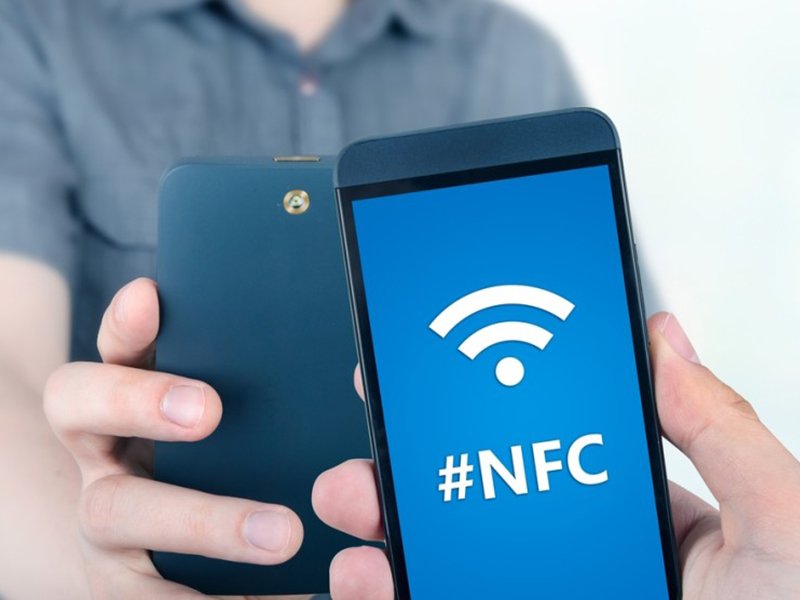
The presented communication is embedded not only in phones, but also in other gadgets, for example, payment terminals. The receiver itself does not require much space, it is mainly mounted in the free space between the smartphone battery and the cover. But if the phone is not amenable to simple disassembly and you cannot look at its insides, then how to determine the presence of NFC?
Carefully read the external indications on the phone. Often, developers indicate a small emblem in the form of antennas right on the cover of a mobile phone, indicating the presence of technology. Also, the icon will be located in the top pop-up menu of the phone.
At the moment, NFC is being implemented in all Android smartphones, the version of which is at least 4.0. Another way to find out about the presence of communication is to go to the settings, select the “Wireless networks” column, then click “More”. If the function is listed there, then check the box next to it.
Also, this option is often found in cards designed to pay for travel, or in bank plastic. In addition, they began to build it into household appliances, this includes new refrigerators with the “Smart” option.
Use cases
We figured out how to enable NFC. Let’s move on to an overview of areas of application.
One of the most popular applications of the standard is contactless payments. The owner simply attaches his bank card to a mobile device and if suddenly the card is left at home, payment will be made by phone. In this case, the possibility of intercepting information by intruders is negligible, because the range of the interface is small. But if you suddenly lose or your gadget is stolen, and it is not blocked, you can say goodbye to money.
To make such a payment using the function, you will need:
- Bank card marked paypass;
- Application of this banking institution;
- Find the NFC section in the application menu;
- We put the card to the back of the phone for reading;
- Remember the password for payment transactions, it will be sent by a short message.

Another option for using the module is information exchange. Thanks to the Android Beam program, you can transfer a variety of files from one phone to another. In this case, the data transfer rate will be very low, so the function can be used more for sending short text SMS and links.
Since the release of this technology, some users have been wondering what applications exist. The device can operate in two modes.
- Active. It implies that two gadgets have NFC technology.
- Passive. The working field of only one of the devices is applied.
The presented communication is designed as a chip that operates in two modes. The first is for mutual data exchange between devices. The second is usually used on special work passes, metro cards, etc.
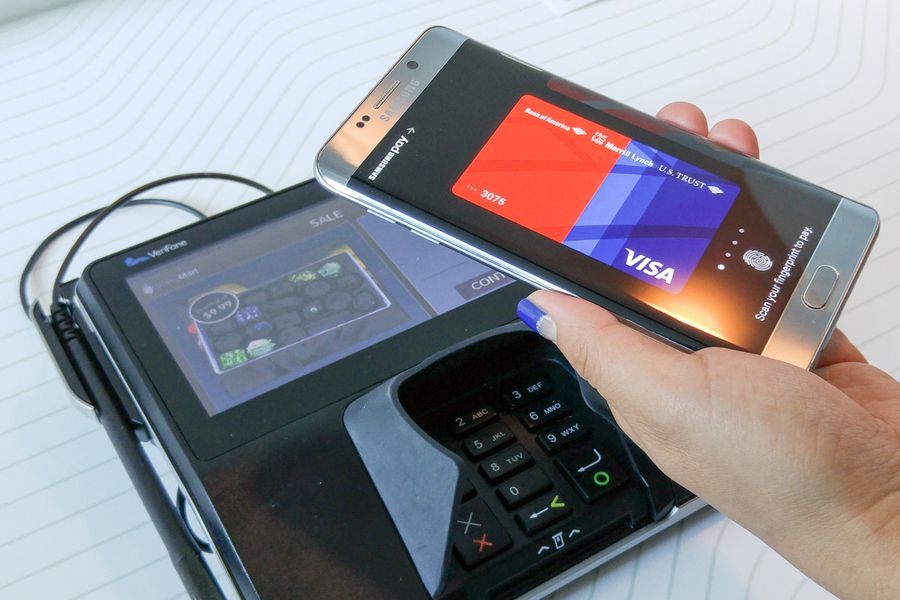
The most popular use case is contactless payment. Link a bank card to your smartphone, and when paying, put your phone to the terminal. This method guarantees protection against scammers. Attackers will not be able to intercept the signal due to the small field of action of NFC.
You do not need to carry a card with you, you can pay in stores by placing your phone on a terminal that supports contactless payment. How to use the function?
- You must have a special bank card that supports the paypass option.
- Install the application from your bank.
- Log in to your personal account and go to the main menu.
- Select NFC.
- Then place the card on the back of the phone. This is required in order for the sensor to read information on it.
The second use case involves information exchange. To do this, you need to install the Android Beam app. This software will allow you to transfer various files to another smartphone.
Do not forget that the transfer speed will be extremely low, so it is recommended not to send heavy files, but to limit yourself to sending messages or links.
To use this feature, NFC must be enabled in the settings. The activation point is located in the “Wireless networks” column. Then specify which connection you require.
NFC module in the official specifications of the smartphone
You can find out if your smartphone supports NFC in the official specifications about this device. This can be done both on the official website and using the additional information that is included with the box of your smartphone.
Pluses and minuses of the module
Among the main advantages are low energy consumption, reasonable price, ease of use and safety. But before you start using NFC, you need to familiarize yourself with some of the nuances.
Let’s analyze the main disadvantages of NFC.
- Small working radius. This brings some discomfort when using. Although, at the same time, this indicator creates maximum protection. You will not be able to randomly produce a command, pay for a purchase, etc.
- Uncontrolled creation of modifications for NFC. For example, the developers of Sony and Haomi took up the finalization of the transmission technology. They independently make consumables that carry out their work only with the gadgets of their company. In other words, in order to use all the NFC options, you will only have to purchase smartphones of specific brands. This also includes the installation of special applications from the same developer.
Some of the shortcomings are corrected gradually. Developers do not abandon their technology and constantly make various improvements.
Conclusion
Today, NFC is a modern solution for sending information. But not all smartphones support this technology. If your phone is not modified, then you can purchase a special antenna yourself. Install it under the cover of the gadget or take the spare parts to a service where a specialist will do everything for you.
Another way to get to know NFC personally is to buy a special accessory. Today, many companies offer to purchase memory cards, SIM cards, where the NFC is built in.

The prevalence of NFC has not reached impressive results, but this is not for long. Now it is mainly used for monetary transactions, although there are other areas of application. The main advantage of the modification is safety. Its principle of operation excludes accidental transfers of data and money to other devices.