 NFC Expert
 NFC smart watch video
Smart watches with NFS module work on the principles similar to Bluetooth, a wireless communication system. The difference is that NFC communicates with another device without first connecting – instantly. The speed of NFC is 0.1 seconds. The module sends information about the payer’s bank card to the payment terminal, which, in turn, makes a request to the bank and debits the money for the purchase from the account. In Russia, watches with an NFS module have been used for a long time, and the technology itself interacts with any payment system.
Afterword
In the list of smart watches with NFC, I did not include “Chinese nouns” and fitness bracelets, so as not to interfere with pasta and buckwheat. I will write a separate article about fitness bracelets as soon as at least one worthy contender appears, but about Chinese watches from Aliexpress I will say the following. I was looking specifically for models with NFC in the range of 5000-10000 rubles – the module is usually present in the watch, but any Android Pay payment is not supported. Why?
Because NFC is not popular in China (the Chinese have taken the path of contactless payment via a QR code), and specially stamping and programming the module for payment, focusing on our market, no-names do not see the point. Therefore, a good product, with a parameter oriented for us, has an appropriate price tag.
Connect account to NFC and use
It is difficult to unequivocally answer the question of how to use NFC in a watch. Each model of smart gadgets requires its own settings and programs for connecting the card to the NFC system. Setting up the watch and connecting it usually takes place using a smartphone.
Apple Pay
- Connect Apple Watch to iPhone.
- On the iPhone, find and launch the Watch app that controls the Apple Watch.
- Select Wallet and Apple Pay.
- The menu that opens will show maps already connected to the iPhone. To make them available to your Apple Watch, tap Add next to your card details.
- To connect a new card, select “Add payment card”. The field that opens will become available for entering card data.
- Once added, enter its security code, which is located on the back of the card. Click next.
- Read and accept the user agreement by clicking “Accept”.
- Wait for the iPhone to connect the system.
- This is followed by confirmation of connection: depending on the bank, this can be SMS or Push.
- Enter the received code in the field, click “Next”.
If all the data is correct, the IPhone and Apple Watch will receive a notification that the connection was successful. Now feel free to use smart watches with NFC module to pay for purchases. Before bringing the watch to the terminal, double-click the button on the Apple Watch, then bring it to the terminal, wait for the vibration and notification on the screen. Paying for a significant purchase will require you to enter a PIN code or sign a receipt.
To pay with another card connected to Apple Pay, double-tap the button. Scroll to the side of the card image that appears and select another card to make a payment.
Android Pay
NFC watch overview
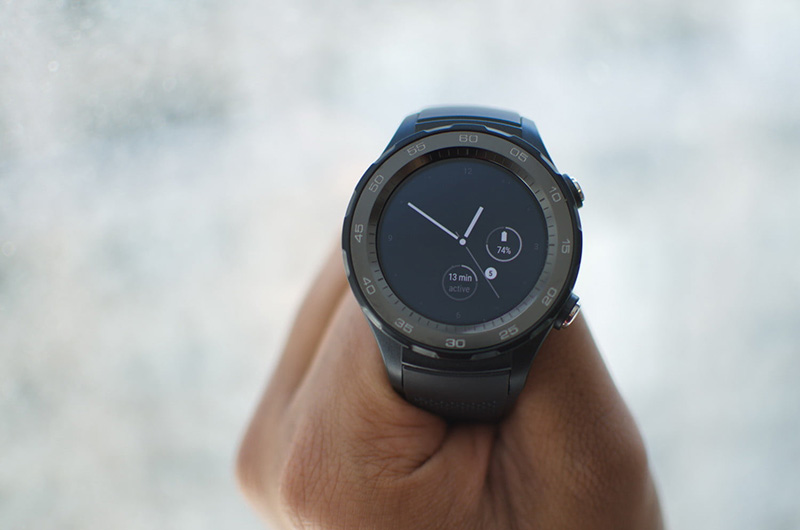
Smartwatches with an NFC module for payment are good because they allow you to make a purchase with one movement of your hand, without taking out any cards or smartphones. We talk about the advantages and disadvantages of popular models.
Apple Watch
Apple Watch Series 4 is the latest series of smartwatches from Apple as of 2019. This is the best-selling smart watch in the world, despite the high cost. The watch is capable of many things: it receives calls and SMS, supports the work of most applications for IOS, monitors the wearer’s health by tracking heart rate, replaces credit cards for paying for purchases.
Apple watches require an iPhone model of at least 5 to work. Without an “apple” smartphone, the watch is useless. Apple Watch is greedy for recharging, its norm is 18 hours of work. In Russia, Apple Watch Series 4 costs from 31,000 to 33,000 rubles.
Advantages:
- unique design;
- aluminum case;
- NFC chip;
- good performance;
- fitness bracelet built-in functions.
Flaws:
- low duration of work;
- IPhone addiction;
- high price.
Samsung Gear S3
A built-in calendar, weather forecast, smartphone notifications, music switching and a watch face, sports watch design are just a few of the Samsung Gear S3 Smart watch. Battery life – 72 hours. The price in Russia will be from 20,000 to 25,000 rubles.
Advantages:
- bright display;
- the presence of NFC;
- continuous work.
Flaws:
- poor functionality;
- high cost.
Watch2Pay
Budget watch with NFC support. The functionality of Watch2Pay is limited, they show the time and are used for contactless payment for purchases. The AK Bars bank distributes these watches on the territory of Russia, which is why all transactions with payment will be made only through it. Also, the watch requires the purchase of a PayPass SIM card. The cost in the Russian Federation is 3000 rubles.
Advantages:
- small price;
- NFC support;
- durable case.

Flaws:
- minimal functional;
- the need for a SIM card.
Chinese-made Xiaomi smart watch with NFC in terms of functionality is a typical smart watch with smartphone notifications, navigator, calendar, music and contactless payment. The disadvantage is that the watch does not support the contactless payment function in the territory of the Russian Federation. The watch is set to the Chinese equivalent of PayPass and does not accept foreign payment systems. The cost in Russia is 10,000 rubles.
Advantages:
- bright display;
- functionality.
The downside is the lack of PayPass.
Sony SmartWatch 3
The watch works without recharging for 14 days, has all the functions of a smart watch. Dust resistance and moisture protection are an addition to the model. The downside is the dim display. The cost of watches in Russia is 7500 rubles.