 NFC Expert
 WebMoney Registration
To register in webmoney, you need to select an option from the webmoney ru website:
- “I am registering with WebMoney Transfer for the first time”;
- “I already have a WMID and I want to manage it using WebMoney KeeperStandard”
- we go through the basic option with the number and confirmation that you are not a robot.
- A code arrives, indicate it in the appropriate area and click “next”.
- Then we come up with a set of numbers and letters and accept the agreements of the WEBMONEY TRANSFER system.
- WebMoney Transfer system uses five types of universal WM-cards: WMZ, WMR and WMB. The types are determined by the currency to which this card is linked.
- WMZ cards with denominations of 10, 20, 50, 100 and 200 WMZ (equivalent to USD).
- WMR cards have denominations of 500, 1000, 3000, 5000 and 10.000 WMR (equivalent to RUR – Russian ruble).
- WMB cards have a face value of 50,000 (the face value of a scratch card in denominated rubles is 5 WMB) WMB (equivalent to BYN – Belarusian ruble).
All of them provide replenishment of the corresponding wallet and are used as WMB-type digital checks for settlements in the Paymer system.
The design and number ranges of WM-cards of all previous runs can be selected.
| Card type | WMZ | WMR | WMB |
| face value | 10, 20, 50, 100 and 200 | 500, 1000, 3000, 5000 and 10.000 | 50,000 (nominal value of the scratch card in denominated rubles is 5 WMB) |
| Types of refillable purses | WMZ -wallets | R-wallets | B-purses |
| Types of digital checks | WMZ — type | WMR — type | WMB — type |
Why do I need an electronic wallet?
If you have come to the world of Internet earnings, you can’t go anywhere without virtual money. It’s like an online wallet. For any work, for example, for completing a task on the WorkZilla exchange, you will be paid with electronic money.
Therefore, first of all, create web wallets, now the most popular ones are Yandex Money and WebMoney. After that, calmly look for a job and get a well-deserved reward.
This will also allow:
- Make purchases via the Internet in a few clicks. Let’s say topping up your phone takes a few seconds.
- Withdraw money to a plastic card (subject to the availability of the required system certificate).
Create a WebMoney Wallet
- Choose a currency, it is presented in the form of flags of countries, read the agreement with the WMB system guarantor and accept its terms.
- A new window pops up “Creating a wallet of this type is possible only after receiving a passport not lower than the initial one” with a link – go through it.
- We see a window with the main tab “Passport”, click “get a formal passport” – it’s free.
- the system informs you about how the formal certificate will be received, about its benefits. Click “Continue”.
- We fill in all the columns with reliable information.
The next and most important step is a scan of passport data, which, provided that the information matches the information you entered earlier, activates the WebMoney wallet.
Go to wallet
- Press the “Login” button, enter data in the columns “login”, “password” and “Enter the number from the picture”.
- Choose the appropriate method of login confirmation and enter the code that
came in SMS; if you specified an email address, follow the link in the letter from WebMoney. This will save you if you forget your password. - came in SMS;
- if you specified an e-mail address, follow the link in the letter from WebMoney. This will save you if you forget your password.
- if everything is entered correctly, you can enter the webmoney wallet.
Web certificates are used to improve the security of your data.
Creating a wallet
In your personal account, click on the “Finance” section.
Press the blue plus sign and select “Create Wallet”.
Choose a currency. We get acquainted and accept the terms of the agreement, click “Create”.
I created two main wallets – dollar and ruble. Look at the screenshot, you can give these numbers to customers in order to receive money earned on the Internet.
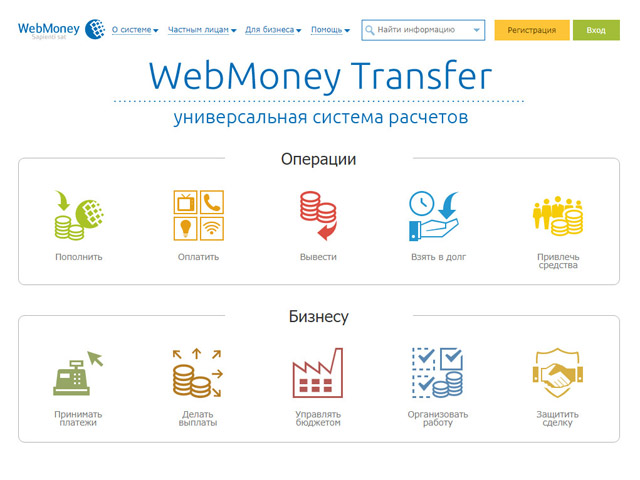
So far, you have a pseudonym passport, with which you can receive and send transfers within WM, replenish wallets through terminals in cash, make purchases in stores and pay for utilities. Unless a withdrawal to a plastic card is available (this requires an initial passport), but for now this is quite enough.
A little later I will tell you how to expand the functionality of WebMoney by obtaining the following certificates.
Ways to obtain a certificate
Mobile application with an extended set of functions. Designed for
Keeper WebPro/WinPro users.
a digital certificate based on the personal data you provide.
A pseudonym certificate, which is issued free of charge and automatically to all participants of the WebMoney Transfer system when they register in the system (after receiving a WM-ID). All information and details will be marked as unverified and recorded from the words of the passport holder.
Opportunities
- making transfers within the WebMoney system;
- replenishment of wallets in cash, as well as with the help of prepaid WM-cards.
- payment for mobile communication services within the limits;
- paying utility bills and making purchases in stores that accept WM with an electronic receipt;
- statement and payment of the current account;
- outputting secure correspondence and making secure video calls;
- exchange of title units of one type for another (WMR to WMZ)
A pseudonym passport is limited financially, for example: WMR, WMU transfers are possible only within the address of the owners of personal and higher passports, so it is recommended to connect a formal passport.
A formal passport is given to a system participant free of charge, but after providing their personal passport data, and uploading a passport scan for verification.
Opportunities that the certificate gives:
- Making transfers within the WebMoney system;
- Top up the accounts of mobile operators without limits;
- Replenishment of wallets through a bank payment, using a postal transfer.
- Ability to withdraw funds through bank payments, money transfer systems;
- Using WebMoney Transfer.
Its owners have additional privileges in relation to the lower one and financial restrictions to higher wallets. For this reason, we recommend connecting WM Keeper WinPro (Classic) or WM Keeper WebPro (Lite).

The initial passport is received by a WebMoney Transfer system participant who previously received a formal passport and did not receive an initial (or personal) passport.
Getting access to some features.
- Exceeding the limits of input and output from the system in relation to lower passports;
- Opportunity to participate in the internal work of the credit exchange; the ability to create budget machines;
- Obtaining the status of a system consultant;
- Creation of trading platforms;
- Using the services of the WebMoney service. Escrow – ensuring safe transactions between participants of the WebMoney Transfer system;
- WebMoney Personalizer.
To get it, you need to personally meet with one of the Personalizers – WMID commission. The cost of obtaining at least 1 WMZ (on average 2-5 WMZ), depends on the selected certifier.
- With the help of the public services portal with the condition of citizenship of the Russian Federation.