 NFC Expert
 Suitable for everyday tasks, watching videos and games that are undemanding to the filling.
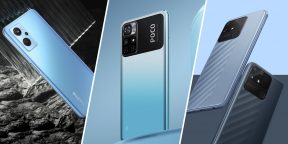
Realme 9i
- Display: IPS, 6.6 inches, 2412 × 1080 pixels.
- Camera: main – 50 MP, 2 MP and 2 MP; front – 16 MP.
- Memory: 4/128 GB.
- Battery: 5,000 mAh.
A machine with an IPS display whose refresh rate is 90Hz. Menu operation looks a bit smoother at this frequency. The fingerprint scanner is installed in the power button on the side. As with all the devices on this list, Realme 9i has an NFC module for contactless payment. The smartphone will cope with games at medium graphics settings and will pull all applications for everyday tasks without any problems.
The main camera of the device consists of three modules: a 50 MP main camera, a macro lens and a 2 MP frame depth sensor. For selfies, there is a 16-megapixel camera in the upper left corner of the screen. The device is able to take good photos, but mostly in daylight.
Battery capacity should be enough for about a couple of days of active use. At the same time, the smartphone is quickly recharged at a power of 33 W – it will take approximately 60 minutes to replenish up to 100%.
There is support for microSD cards and the ability to virtual increase the amount of RAM by 5 GB through the use of internal memory.
Price: 16,082 rubles.
Realme Narzo 50A
- Display: IPS, 6.5 inches, 1600 × 720 pixels.
- Processor: MediaTek Helio G85.
- Camera: Main – 50 MP, 2 MP, 2 MP; front – 8 MP.
- Memory: 4/128 GB.
- Battery: 5,860 mAh.
The main feature of this model is a 5,860 mAh battery, which allows you to listen to music for 111 hours or watch videos for 27 hours. In this case, the battery is charged at a power of only up to 18 watts, which requires more than 2 hours.
The main camera with three modules is provided for shooting. The 50MP main lens is complemented by a depth sensor and a 2MP macro. With the help of the front camera, you won’t be able to take outstanding selfies, but it’s quite suitable for video calls. The rear camera has a night mode and algorithmic additions that increase the clarity of images.
Realme Narzo 50A supports microSD card up to 256 GB. The fingerprint scanner is built into the camera unit on the back. Balanced in terms of characteristics, the device is suitable for everyday tasks and will handle most games at low and medium graphics quality settings.
Price: 15,490 rubles with a seller’s coupon.
Redmi Note 11
- Display: AMOLED, 6.43 inches, 2400 × 1080 pixels.
- Camera: main – 50 MP, 8 MP, 2 MP and 2 MP; front – 13 MP.
- Memory: 4/64 GB, 4/128 GB, 6/128 GB.
- Battery: 5,000 mAh.
A mid-range smartphone will allow you to play all mobile games at low and medium graphics quality settings, as well as run most applications without noticeable freezes. The display supports screen refresh rates up to 90Hz. The battery charges quickly at up to 33W. The battery capacity is enough for 22 hours of video playback and 215 hours of music listening.
The main camera uses a 50MP main sensor, an 8MP ultra-wide-angle module, a 2MP macro and a 2MP depth sensor. The smartphone takes good photos, but does not show anything outstanding. On the front camera, it is quite possible to take pictures for social networks. Built-in memory can be easily expanded with a microSD card up to 1 TB. Please note that when choosing a model to order, you must specify the option with NFC support.
Price: from 15,193 rubles.
Poco M4 Pro 5G
- Display: IPS, 6.6 inches, 2400 × 1080 pixels.
- Camera: Main – 50 MP, 8 MP; front – 16 MP.
- Memory: 4/64 GB, 6/128 GB.
- Battery: 5,000 mAh.
The device will cope with most applications without noticeable freezes and will run many games at medium settings. The display of the device operates at a frequency of 90 Hz and produces a good picture for watching video indoors.
The main camera of the phone consists of two modules: the main one at 50 megapixels and the ultra-wide-angle one at 8 megapixels. The front takes good enough pictures for its class with a 16 MP sensor. The battery supports 33W charging. It will take about an hour to replenish up to 100%. The battery capacity should be enough for a couple of days of moderate use.
The fingerprint scanner is located on the side wall of the case. The device is protected from dust and splashes according to the IP53 standard, but it cannot be immersed in water.
Price: from 13,941 rubles.
Infinix Hot 11S
- Display: IPS, 6.78 inches, 2460 × 1080 pixels.
- Processor: MediaTek Helio G88.
- Camera: main – 50 MP, 2 MP and 2 MP; front – 8 MP.
- Memory: 4/64 GB.
- Battery: 5000 mAh.
A smartphone with a large display is suitable for solving most everyday tasks, modern games can also be launched with low and medium graphics quality settings. I PS display supports refresh rates up to 90 Hz.
The cameras produce a picture acceptable for the level of this device. It uses a main sensor of 50 MP and two auxiliary sensors of 2 MP and 0.08 MP. Selfies on the front camera are unlikely to be impressive, but for video calls it is enough.
Using the supplied adapter, the battery is charged at a power of 18 W for about 100 minutes. Battery capacity should be enough for about 142 hours of music listening or 13 hours of gaming. To unlock, there is a fingerprint scanner on the side of the case.
Price: 13,490 rubles with a seller’s coupon.
Realme C25S
- Display: IPS, 6.5 inches, 1600 × 720 pixels.
- Processor: MediaTek Helio G85.
- Camera: main – 48 MP, 2 MP and 2 MP; front – 8 MP.
- Memory: 4/64 GB.
- Battery: 6,000 mAh.
Undemanding users will like this smartphone. The processor will not handle graphically complex games, but it will handle most other applications. A capacious battery is installed inside, which will be enough for a couple of days of work with a moderate load. It charges up to 18W.
The fingerprint scanner is located on the back of the smartphone. You should not rely on cameras, but with beautiful lighting you can get acceptable photos. It has a 48MP primary sensor, a 2MP macro sensor, and a depth sensor. The front camera is useful for video calls.
Price: from 13,499 rubles.
Oppo A54
- Display: IPS, 6.5 inches, 1600 × 720 pixels.
- Processor: MediaTek Helio P35.
- Camera: main – 13 MP, 2 MP and 2 MP; front – 16 MP.
- Memory: 4/64 GB, 4/128 GB.
- Battery: 5000 mAh.
The model was officially released a year ago, but it is still relevant for those who need a budget device with contactless payment and good stuffing. The device is suitable for the role of a gadget for everyday tasks without heavy loads in demanding games that are too tough for him.
It is unlikely that you will be able to take impressive pictures with the main or front camera, but you can count on frames for social networks. The battery capacity is enough for a day of active use. You can watch videos for about 20 hours or listen to music up to 40 hours. The battery supports charging up to 18W, so it will take a couple of hours to recharge. The fingerprint sensor is located on the side panel.
Price: from 13,369 rubles.
Please note: prices are valid at the time of publication of the article. Stores can update the cost of goods during the day.
How to add a card to SberPay
We will tell you about the SberPay service from Sberbank, what it is, what features it has, how to add a card to it and whether it can be done today.
How to add a card to SberPay
How to pay with SberPay
SberPay is a contactless payment service designed for Android OS devices for Sberbank customers. With it, you can pay in stores that accept contactless payments using MIR payment system cards.
The system guarantees the complete security of the user’s money and card data.
SberPay opportunities
- Making payment for purchases.
- Checking the balance of the card during the payment operation.
- When touched, the paid amount and currency appear on the smartphone screen.
- If there are not enough funds on the card, the user receives a notification.
- It is possible to adapt the application to the design of the card.
You can add a card using the functionality of the mobile application.
What you need to add a card
To add a card to the SberPay service, you will need the following:
- Be a Sberbank client, connect to Sberbank Online, install a mobile application.
- Android smartphone with NFC contactless payment technology and operating system version 7.0 or higher.
- MIR card issued by Sberbank.
Step by step instructions
How to add a credit or debit card to Sberpay:

How to pay with SberPay
- Start the service.
- Log in with your fingerprint.
- Check the operation.
- Touch the phone to the terminal.
When manually started
- Create a shortcut to launch manually.
- Confirm the operation.
- Bring the phone to the terminal.
Why the card is not linked
The problem may occur due to a lack of communication, if the card has expired or is blocked.
Important! At the moment, the bank has temporarily limited the addition of cards with SberPay. After the restrictions are lifted, the bank informs customers. You need to follow the appearance of such an opportunity on the bank’s website.
Lack of support
Linking a bank card may not work due to slow internet, communication problems. In this case, you should just wait.
Card expiration date
If the card expires, you need to reissue it in a timely manner.
Blocking
If the card is blocked, it will not be possible to link it.
What to do if problems arise
No, the service only works with Sberbank cards.
Is it possible to pay for purchases in an online store through SberPay?
Yes, you can do it by simply clicking on the SberPay button.
Conclusion
- You can connect a credit or debit card of the MIR payment system issued by Sberbank to SberPay.
- On the current day, cards are temporarily not added to SberPay.
Full year without interest
180 days without %
PJSC Bank FC Otkritie
120 days max
PJSC BANK URALSIB
In May 2017, the Android Pay payment platform became available in Russia. It is the development of the American concern Google, which is one of the world leaders in the field of information technology. Naturally, such innovations could not pass by the leading participant in the Russian financial market – Sberbank, which was among the first to offer its clients to use the new payment platform for active use.
Which devices support the technology
Advantages and disadvantages of Android Pay
How to connect a Sberbank card?
What cards are supported?
How to pay with Android Pay?
How is security ensured?
What is Android Pay?
Android Pay is similar in most of its functionality to two other similar platforms for making various payments, namely Apple Pay and Samsung Pay. It provides owners of smartphones and so-called “smart” watches that use the Android operating system with the ability to link a bank card to them and make payments in a contactless way. This relatively new technology is extremely convenient and comfortable for use by bank customers who own plastic cards, although it has a number of limitations due to the fact that not all outlets and ATMs are still equipped to work with it.
Which devices support the technology
A significant part of modern mobile devices is capable of supporting Android Pay. To do this, it is enough to fulfill only two mandatory conditions:
- the presence of an NFC module built into the smartphone;
- the phone uses the Android operating system developed by Google.
Compliance with these requirements ensures that Android Pay can be used effectively.
Advantages and disadvantages of Android Pay
The main advantages of the new technology that allows making contactless payments are:
- no need to constantly carry a plastic card of Sberbank or another credit institution;
- The payment platform service allows you to link any number of cards to one smartphone. At the same time, when paying, the user chooses which plastic to use in each case;
- The Android Pay payment platform, unlike Samsung Pay or Apple Pay, is not tied to a mobile phone brand. The main thing is that it supports Android;
- payment speed. The contactless method is much faster than the traditional one;
- high level of security. When paying with a smartphone, it is not possible to copy the data of a card belonging to the user. In addition, all information must be securely encrypted, and the need for payment is confirmed either by a fingerprint or a special code.

It is important to understand that, as with any new technology, the Android Pay payment platform has certain drawbacks. These include:
- lack of equipment in some outlets necessary for making contactless payments;
- the inability to withdraw cash from most ATMs and terminals that do not have the functionality to serve contactless mobile devices;
- termination of access to the payment platform when the battery of the smartphone is low. In this case, the user will either need to charge the phone or use a bank card directly.
Of course, the first two shortcomings will be eliminated fairly quickly, as the number of stores and self-service devices with contactless payment capabilities is growing rapidly. In the next 2-3 years, almost all retail outlets and payment points will be equipped with them.
How to connect a Sberbank card?
Currently, Sberbank customers are offered two options to connect Android Pay to a card of a credit institution:

Tariffication of the service
Using the Android Pay contactless payment platform is offered to Sberbank customers absolutely free of charge.
What cards are supported?
The Android Pay payment platform supports all Sberbank cards except for Maestro Visa and Electron. This applies to both credit and debit cards of a financial institution.
How to pay with Android Pay?
The procedure for making a contactless payment using a smartphone and the Android Pay platform is extremely simple. To pay, you do not need to somehow specifically configure the phone, just unlock the screen, and then bring the smartphone to the payment terminal. Almost instantly on the screen will appear the inscription “Done”, which means the successful completion of the payment.
Where is payment accepted?
Payment using the Android Pay functionality is carried out at merchants and self-service devices that have the ability to make payments in a contactless way. Their number is constantly increasing. In addition, a large number of different websites and mobile applications provide a similar opportunity today.
How is security ensured?
A high level of security is ensured by using the most modern technologies, and the client is given the opportunity to choose the protection option – using a graphic key or a fingerprint.
Differences from Apple Pay
The main difference between Android Pay and Apple Pay is that the first payment platform is not tied to a specific smartphone brand, and in addition, it allows you to link an unlimited number of bank cards to it.

The contactless payment system is constantly evolving. With ordinary cards that need to be applied to payment terminals instead of being inserted, few people can be surprised. But this is only part of the possibilities of such a contactless service. Sberbank was the first in the Russian Federation to provide all its customers with the opportunity to link cards to the Apple Pay service and use devices running the iOS operating system (smart watches and smartphones) for all kinds of payments.
How to connect a card on iPhone?
How to pay with an iPhone instead of a card?
Advantages and disadvantages of the system
Apple Pay is a special service for making payments using Apple’s mobile technology. It features a simple control system, guaranteed safety and reliability. With it, you can both make purchases in online stores and pay at regular outlets. It is noteworthy that information about customer cards is stored only on the device. It is not sent anywhere and is not stored anywhere except for a smartphone or smart watch. The only thing you need to worry about is the safety of your devices. Apple Pay works with most modern models of Apple technology, but has its own requirements and features that you need to consider.
Requirements
Apple Pay is compatible with iPhone 6 and above and Apple Watch. The main thing is that the Face ID and Touch ID functions are available. The latter is not required in some devices. You can check whether the device supports this service or not on a special page on the Apple website or look in the list below. In addition, the following requirements must be met:
- The client is signed in to iCloud.
- Apple Pay app installed.
- The client has MasterCard or Visa cards.
- There is a Sberbank application on the smartphone.
- The client has an online registration in the Sberbank system.
The last two points may not be performed depending on which option for connecting to the service the person chooses. Also, as it is easy to see, the MIR system is not supported. This must be taken into account at the stage of issuing a means of payment. In addition, it is recommended to use cards of the Standard/Classic type or higher (Gold, Platinum, and so on).
What devices can I use with Apple Pay?
Sberbank, as a card issuer, offers its customers a wide range of payment methods that can work with this service: Mastercard Black Edition, Gold and World Elite. Visa Classic, Gold, Platinum and Mastercard Standard, Gold and
How to connect a card on iPhone?
In order to link a Sberbank card to an iPhone, there are two main ways: directly through the Sberbank smartphone program or in the Apple Wallet service. The connection procedure is slightly different, but the result in both cases will be the same.
Via Sberbank Online
To connect the Apple Pay service through the Sberbank Online mobile program, you need:


Via Wallet
The second connection method is via Wallet:


Advantages and disadvantages of the system
The system has only one drawback – if the phone is lost, if someone can get access to it (hack), he will automatically get access to all the client’s payment cards. True, for this he will still have to hack the application itself, which is very difficult. There are no other shortcomings. Of the benefits, the following should be highlighted:
- You don’t have to pay for using this service.
- No need to carry payment means with you. All cards can be saved to Wallet.
- Fast and easy way to pay for any goods and services.
- You can pay at any terminals that support the function of contactless payments.
- No internet connection is required to make a payment. The data is stored only on the client’s smartphone and is not transmitted anywhere. When paying, the smartphone sends a signal identical to that sent from the customer’s card.
How to set up NFC for payment with a Sberbank card – basic rules
Contactless payment for goods and services is increasingly used by people when making everyday purchases. Therefore, people who are interested in this feature should learn how to set up NFC for paying with a Sberbank card and how much this technology costs.
What is this technology?
The presence of an NFC module in a smartphone allows wireless transmission of information within a limited radius, including contactless payment for goods and services. The technology works simply – you need to bring your mobile device to the payment terminal and wait until the payment transaction is completed.
The use of this function does not involve the risk of intruders’ interference, since the data is transmitted taking into account protective mechanisms – the signal is almost impossible to intercept. In addition, the transaction does not use card details, which means that the transaction is kept confidential.

What cards are supported?
As for which Sberbank cards support the technology, we note that the service is available on almost all plastic cards issued by a credit institution. The ability to use the function also applies to positions that work on the domestic payment system MIR.
But exceptions must also be taken into account. H FS-chip will not be connected if the card is issued for Maestro and Visa Electron payment systems.
About payment systems
There are three payment systems in the Russian Federation that support Pay Pass technology: Apple Pay, Android Pay, Samsung Pay – they occupy the largest part of the market in their category. Their functionality is similar, but at the same time, these options have separate advantages and disadvantages, so each system should be disassembled.
Those who are interested in how much the Sberbank pay pass service costs do not have to worry about the costs – this technology is provided completely free of charge.
The service was developed by Apple. Supported exclusively on mobile devices iPhone 6 version and above. Also, the technology can be implemented on other products of the company: Apple Watch and iPad. Sberbank is currently the only credit institution in Russia that ensures the operation of the application in conjunction with its services.
The system has standard features that are typical for competitors. When identifying shortcomings, the following points should be noted:
Another important disadvantage is that confirmation of a payment transaction is carried out only with the help of a fingerprint scanner.
The contactless card of Sberbank Molodezhnaya, Sberbank Momentum, Visa Paywave and any other debit card can be configured for the NFC function using an application from Google. Despite the fact that the service is supported only on mobile devices with the Android operating system, it is most common in Russia. As additional advantages, we can distinguish:

Remarkably, it functions even on those smartphones that do not have a fingerprint scanner.
Samsung Pay
The application is produced and supported by the Korean company Samsung, every year it is increasingly increasing its competitive advantages over its “colleagues”, which are described above. As pluses it is worth noting:
As for the disadvantage: a payment transaction is possible only when using a fingerprint scanner.
Compatibility check
Before using a Sberbank card with contactless technology, first you have to make sure that the corresponding function is available and activated on your mobile device, and that the plastic itself is supported by the system.
Depending on the OS used on the smartphone, the compatibility check procedure may differ. So, the user of an Android device should follow the following sequence of actions:
You can verify compatibility without performing the above steps. It is enough to examine the back panel of the smartphone or battery for the presence of the words Near Field Communication. If the NFS tag was found, it means that the technology you are looking for is supported by this device.
Checking the compatibility of smartphones with the iOS operating system does not involve extra steps.
It is enough to make sure that the mobile device has version 6 or higher.
Connecting and configuring NFS on Android
Direct installation involves performing a certain sequence of actions:
After that, the registration is considered completed, so you can log out of the system and proceed to learn how to use the Sberbank contactless card in the store. But still, before paying with a card without a pin code, for starters, it is worth noting other options for setting up NFC.
Via Sberbank online

Those who want to understand how to set up contactless payment in Sberbank online need to follow specific instructions:
The start of the wizard is activated, which allows you to complete the registration.
You can link any number of cards: Visa Classic, Maestro and other types of plastic even without support for contactless payment technology.
Activation for iOS
As for the question of how to bind NFC and a card on smartphones with the iOS operating system, there are two options available: using the special Wallet software and through the standard mobile software of a credit institution.
Using Wallet
To set up an NFC tag through Wallet, you will need to perform a number of actions:
If the information was entered correctly, the system displays the message “Card is activated”, after which the smartphone owner can start using the contactless payment function.
To decide how to access the function through Sberbank online on smartphones with iOS, you will need to perform a number of actions:
If it does not work, you should check your smartphone for compatibility. If contactless card payment stops working after connection, you should seek advice.

Payment process
There are certain differences on how to pay for NFC through Sberbank using a smartphone on iOS or Android. In the first case, you need:
As for how to transfer funds through Google Play, just follow the instructions:
You can use the NFC module in various situations:
Depending on the type of card and the value of the purchase, you may be required to enter a PIN code. Up to what amount you do not need to perform additional actions – depends on the contractual provisions. Usually its size does not exceed 1 thousand rubles.
Before applying the card to the terminal for payment, you must first decide on the account that will be responsible for transferring funds.
Top-up
Understanding what a Sberbank wallet is allows you to replenish your account without any problems, because many services have similar features. Judging by user reviews, the most convenient tools for depositing funds to the card are as follows:
Before paying for the purchase, you first need to check the account so that the transaction goes through without problems.
About safety

A lot of users are thinking about how to disable PayPass after hearing stories about hackers of this function. However, do not worry, because the developers of the technology have thought about how to protect it.
The main obstacle for intruders is the limited range of the signal, which makes it impossible to intercept.
But even if successful, fraudsters will not be able to use the data, since it is confidential.
So, setting up NFC is not difficult or difficult to achieve. Individuals who experience problems can watch many videos about this. Otherwise, if a user is interested in such a function and wants to understand how to exchange a Sberbank card for a contactless one, he will initially have to contact the bank to submit an appropriate application.
Contactless payment is simple and secure
Pay with your smartphone in stores, websites and apps with the free Google Pay service.
It’s not only convenient, but also safe — Google protects your Sberbank card details and doesn’t transfer them to the store when paying.
What you need for Google Pay to work
You can also connect in the Google Pay app
How to pay with Google Pay
Do you want to accept payments via Google Pay in mobile applications?
* NFC (near field communication) is a technology that allows you to make contactless payments using your smartphone. The bank card is added by the client to a special mobile application (Wallet).
Google Pay is a trademark of Google Inc.
How to connect Google Pay?

Which Sberbank cards can be connected to Google Pay?
Absolutely all Sberbank cards except Maestro.
Debit: Visa Classic Aeroflot Visa Classic Youth Visa Classic Visa Classic with custom design Visa Gold Aeroflot Visa Gold Visa Momentum Visa Platinum Visa Infinite Visa Signature Aeroflot Podari Zhizn Visa Classic Podari Zhizn Visa Gold Podari Zhizn Visa platinum World Mastercard Elite Sberbank First Mastercard World Black Edition Premier World Mastercard Gold Mastercard Platinum Mastercard Gold Mastercard Standard Mastercard Standard Contactless Mastercard Standard with individual design Mastercard Standard youth card Mastercard Standard youth card with individual design Mastercard Standard Momentum Visa Electron
Credit: Visa Classic Visa Gold “Give Life” Visa Gold “Give Life” Visa Classic Aeroflot Visa Gold Aeroflot Visa Classic Visa Momentum Visa Signature Mastercard Gold Mastercard Standard Youth card Mastercard Standard Mastercard Credit Momentum
How to connect NFC for Sberbank payments
A smartphone today replaces a telephone, a computer, a notepad, and more recently it has also become a means of paying for purchases. This option has become possible due to the emergence and spread of NFC technology or near field communication. If your smartphone supports the function, you can create an electronic copy of a bank card and pay without contacting the terminal. In the article you will find recommendations on how to set up NFC for paying with a Sberbank card.

Contactless payment technology first appeared in Russia in 2017. For 2 years, NFC has spread throughout the country, today almost all stores are equipped with terminals that can read data not only from a card, but also from a digital device. The service is supported by the largest banks in Russia: Sberbank, Tinkoff and others. All payments are secure, as transactions are carried out virtually and do not leave “traces” that could be tracked by scammers.

To enable contactless payments, you need to install Android Pay. Before you learn how to connect Sberbank NFC, make sure that your smartphone or tablet supports the technology. How to do it? You can find out about the presence of an NFC chip in Xiaomi Redmi or Samsung on the back cover of the device or on the battery in the form of the “N” logo or the inscription “Near field communication”. In addition, NFC support is indicated in the description for the device or the technical description on the website.

Activate NFC on Android
Before you learn how to connect NFC for Sberbank payments, you need to enable the function on your phone:
That’s it, the device is ready to make payments with a smartphone, not a card.

NFC Sberbank on Android
Contactless payments can be set up on Samsung and other Android devices. Today, you can link several bank cards to your smartphone at once. Below we will consider how to connect NFC for payments through Sberbank and keep up with the times.

Direct installation of Android Pay
Android Pay for NFC payment by Sberbank phone works under two conditions: if the phone supports the NFC module and you have an activated payment card from Sberbank. To make a contactless payment with an NFC Sberbank phone, follow the instructions below:
The last step is filling out the questionnaire, after which the program will create an account in the Google payment system.

Installation via Sberbank Online
It is also even easier to make NFC settings in Sberbank through the official application. How to set up payment via NFC on Android to pay with a Sberbank card via Sberbank online:
Activating the service will take 2-3 minutes and now you can pay for purchases by simply bringing your smartphone to the bank terminal.
If you don’t understand how to set up NFC, ask a bank employee to help you.

If all the steps for connecting and setting up NFC Sberbank are completed correctly, contactless payments are now available to you. Instructions on how to pay for goods using Google Pay:
Sberbank and Google Pay guarantee the security of transactions. When reading a card, its data is not stored in the smartphone, you can not worry that the money will be stolen.

For more information on how to set up NFC on Android, see the link:
How to pay by phone instead of a Sberbank card
You can pay by phone in the store with Sberbank cards, Android or iOS phones after setting up one of the services. It is equally important to have a smartphone with NFC technology and the ability to lock the screen.
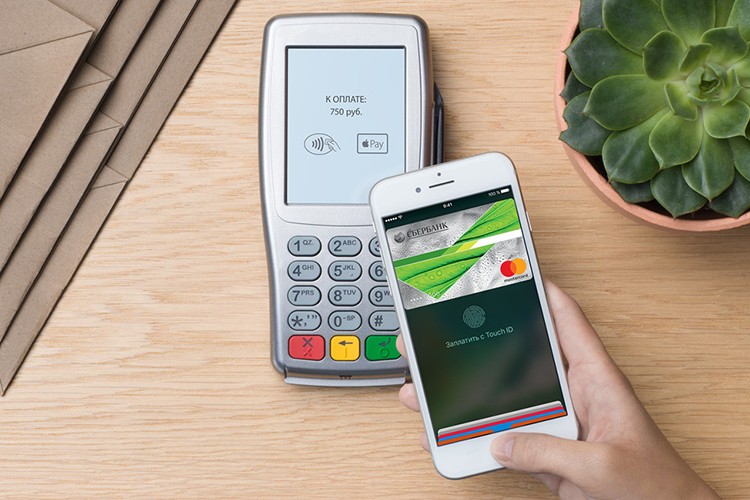
More about the possibility of paying by phone
NFC (near field communication) — non-contact short-range communication, through which information is exchanged between devices. The H FS module has recently begun to be introduced into many smartphones, which makes it possible to use the phone during monetary transactions. An unlocked mobile must be placed at a distance of no more than 10 cm from the POS-terminal. In a matter of seconds, funds will be debited from the account.
You can pay by phone at:
If there is no micro-chip in the smartphone, then you can replace it with a built-in NFS antenna. iPhone owners have the opportunity to buy an Apple Watch and use 2 devices together.
Before linking a card to a service, make sure that the bank is its issuer. It is also important to choose the appropriate payment instrument. Not all cards support one or another contactless system.
Which phones support contactless payment
For the full functioning of the contactless service, you need to have a phone that contains:
Mobile phones of different manufacturers, Android and iOS operating systems are suitable for this characteristic.
Which Android phones contain an NFC chip
The list of supported devices includes phones:
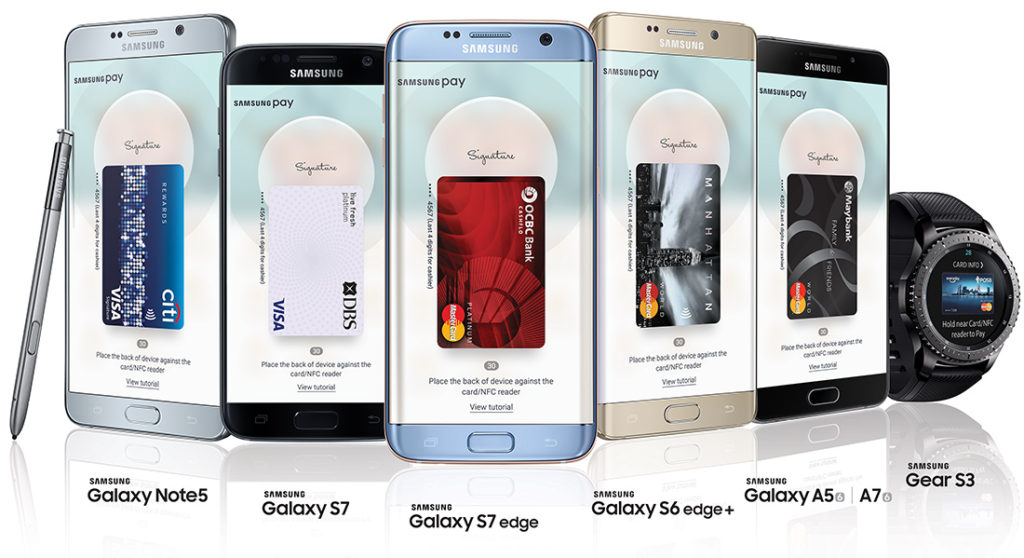
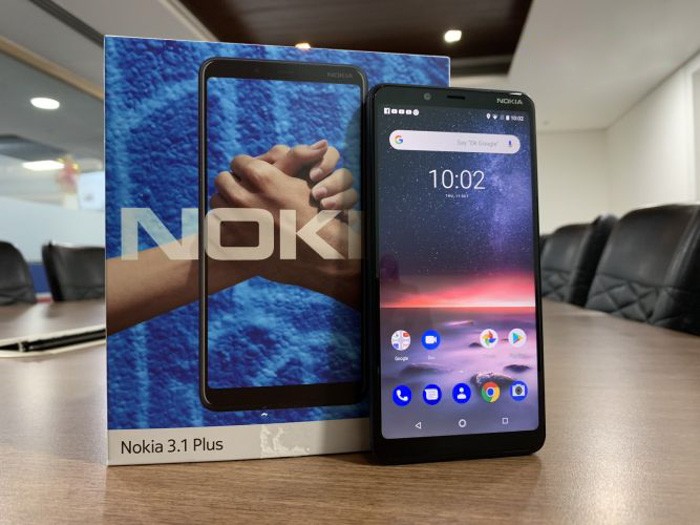
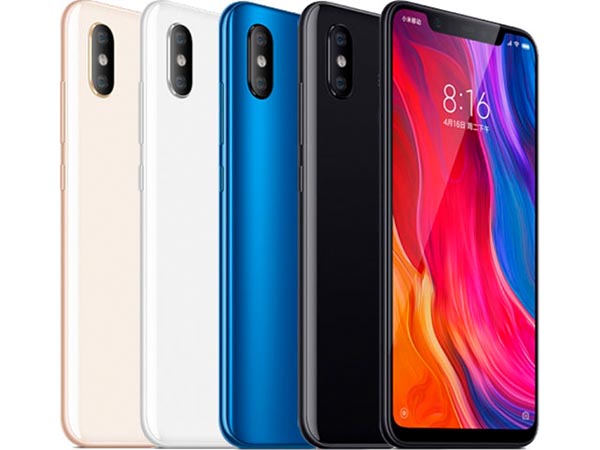
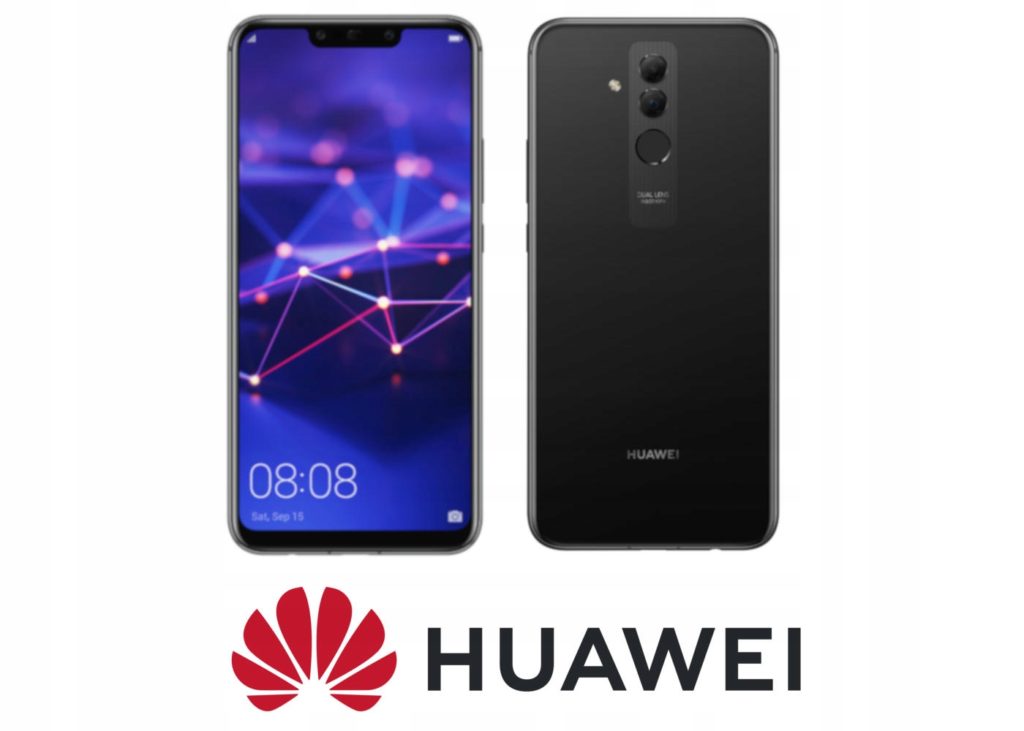
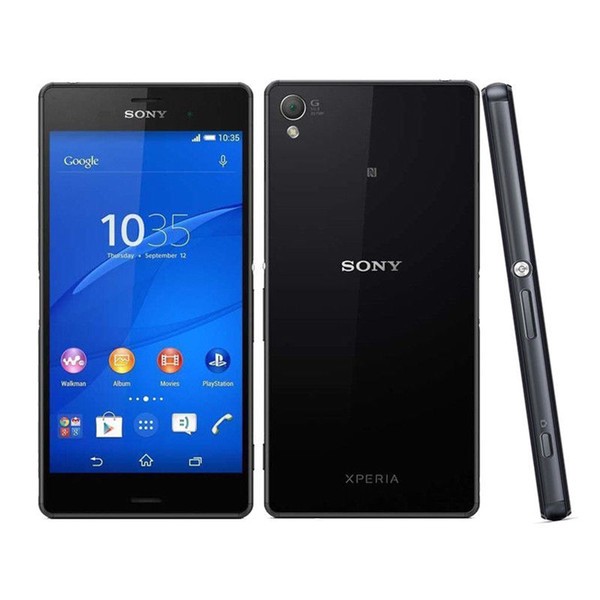
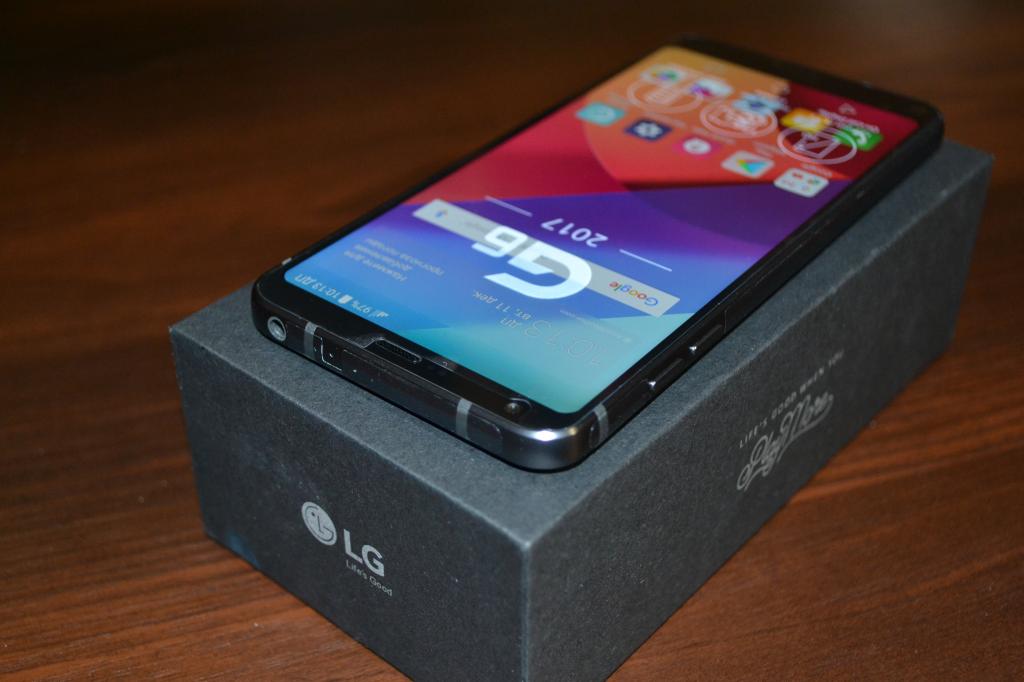
There are other manufacturers offering gadgets with NFS chips, these are:
Which iPhones support the technology
You can also use the following iPhones for contactless payment:
It should be immediately clarified that the iPhone 5 and 5 S do not have an NFC module, but paired with a watch, they can also be used for contactless payments.
If there is an NFS module in the phone, there will be a shortcut. It should be in the shortcut menu.
The presence of a microchip is also indicated by the corresponding logo (NFC). It is usually located on the back cover of the gadget. The adapter itself is inside the phone.
For those who do not want to look for information about the module in the phone itself, just ask the seller for a characteristic for the smartphone. It will definitely mention this technology.
How to link a Sberbank card to Google Pay / Samsung Pay
There are two ways to link a Sber card to contactless payment services:
Consider both options.
Adding a card through the contactless service application
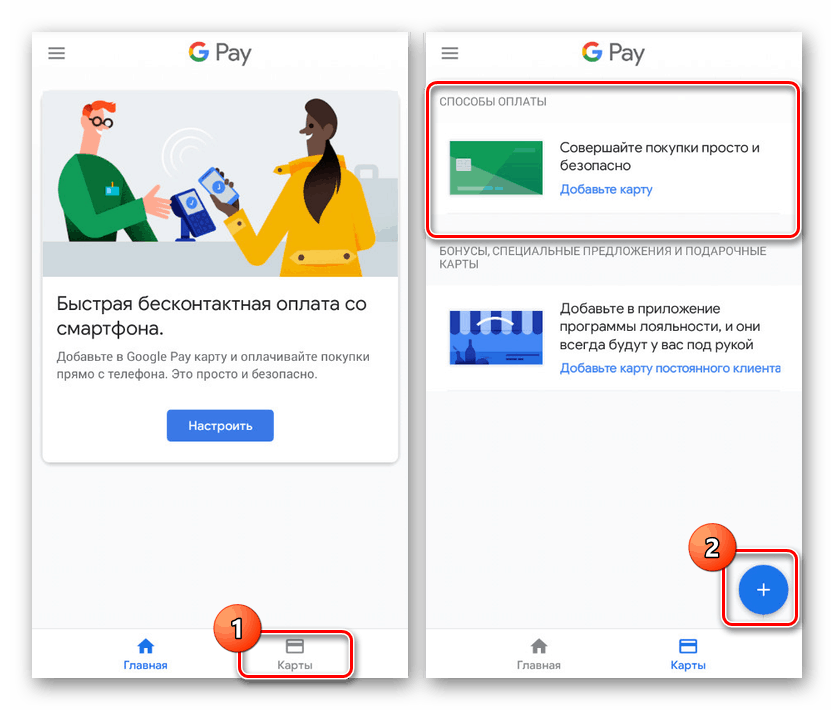
To link a Sberbank card to the NFC service, the user needs:
Keep in mind! It will not work to set up an NFC service for payment without identification. Here you will have to enter a pin code or pass authentication using a fingerprint or face scan.
Adding a card via Sberbank Online

In order for the connection to be successful, you need to download the bank’s mobile application to your phone.
After verification, the payment instrument will appear in the contactless service and can be used.
Overview of NFC payment apps
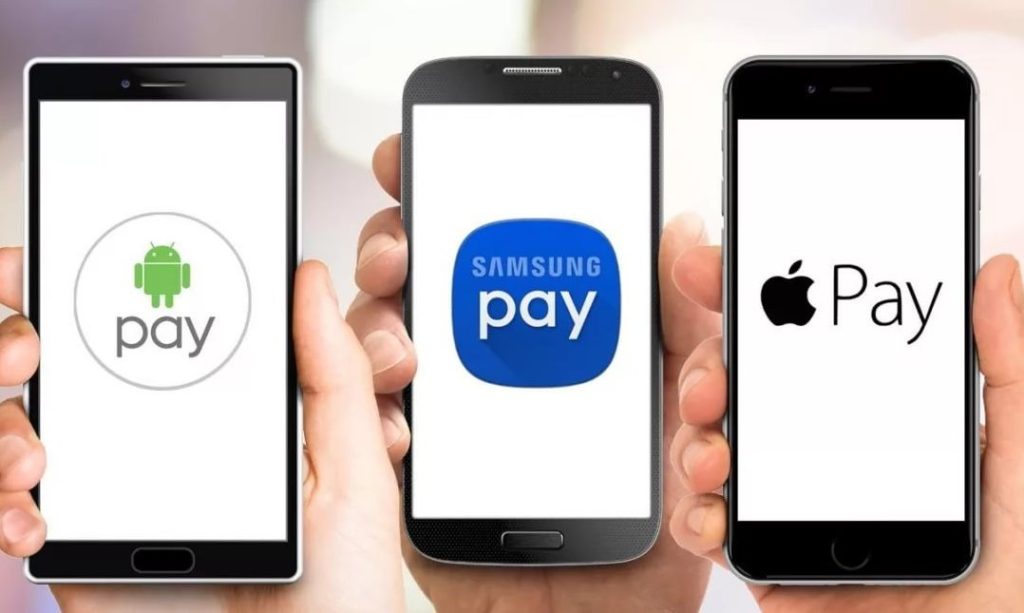
There are many applications that can be used to pay for purchases contactlessly.
In addition to the well-known contactless services from the advanced companies Google, Samsung and Apple, many financial institutions have similar developments. Banks allow their customers to use the phone at retail outlets without third-party programs.
Android Pay
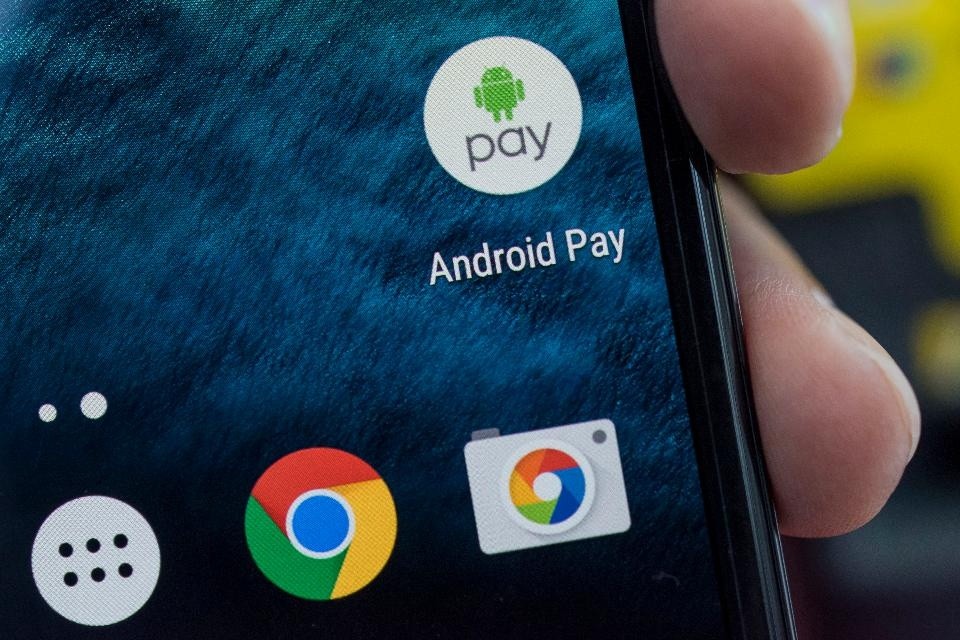
This service was developed by Google for its customers. To start using it, you need to link a bank card to an NFC-enabled phone. The good news is that owners of any phones can install and configure the application – the manufacturer absolutely does not play any role. Support Google (also called Android) Pay a huge number of banks and outlets. Paying with an android phone instead of a Sberbank card is easy. It is enough just to bring the gadget to the terminal, having previously unlocked it and wait for the transaction to be completed.
You can also pay in online stores. Here, during the payment, it is enough to select “Google Pay” and log in. After confirmation, money will be debited.
Pay with Apple Pay

This service is the brainchild of a large Apple company. Only those who have a smartphone with an iOS operating system with a built-in NFC module can work.
You can pay with one touch. For the payment to go through, you need to click on Touch ID or use Face ID. Then bring the iPhone to the terminal and wait.
When paying with a non-main card, do not rush to click on Touch ID, select the card first.
System for Samsung
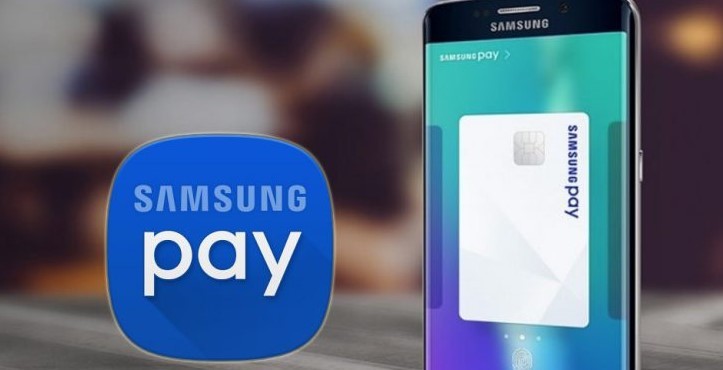
This service also allows you to pay by phone instead of a Sberbank card. But there are significant differences from similar applications. You can install the program only on a Samsung mobile, and pay for goods not only on terminals that support NFS, but also on older devices, since smartphones are equipped with MST (Magnetic Secure Transmission). It will be easy to pay even at the terminal, which only works with magnetic cards.
How to pay by phone instead of Sberbank card via Samsung Pay? Before bringing the gadget to the reader, it must be turned on. One touch is enough for the money to be withdrawn from the account. If the transaction is successful, a confirmation will appear on the screen.
Other systems
You can install another payment service on your phone, but you may not be able to pay with your phone in a store from Sberbank. The financial organization refused to cooperate with Mir Pei. And, alas, it will not work to link the Sberbank card to the application of a third-party bank.
Note! If you cannot download the contactless payment application to your smartphone, or the gadget simply does not contain NFS technology, then you can order a contactless card from the bank. There are 2 types – Visa PayWave and Master Card Pay Pass. It is easy to replenish them at the bank branch and via the Internet.
Conclusion
Anyone who has set up the application and linked an active bank card can use NFC in their phone for payment. We must not forget to replenish the account, otherwise transactions will not be carried out. It is very important that the phone contains the NFS module.
The actual departure from Russia of the world’s largest payment systems – Visa and MasterCard – forced many Russians to abandon the convenient payment for purchases using a smartphone. Visa and MasterCard cards issued by Russian banks can no longer be added to Apple Pay, Google Pay and Samsung Pay wallets. Bank cards of these systems, which were added to wallets earlier, also stopped working as a means of payment on a smartphone.
Therefore, now it simply does not make sense to bring a smartphone to the terminal in a store or cafe. Those who have a Visa or MasterCard card can only pay with the “plastic” itself – using a chip or a contactless module. MasterCard calls contactless payment PayPass, Visa calls it PayWave.
Some users pinned their hopes on the support of the cards of the Russian Mir system in payment systems for smartphones, but a miracle did not happen. Google from the very beginning refused to use them as a means of payment. At Apple, Mir cards could at first be added to a virtual wallet on a smartphone and used for payment, but then this feature was turned off.
How can I pay with my smartphone now?
This question worries many of those who are used to daily comfort and the absence of the need to carry a wallet with money and bank cards. Is there an alternative to Apple Pay and Google Pay?
Fortunately, contactless payment via a smartphone has not completely disappeared from Russian realities – you can still pay for purchases.
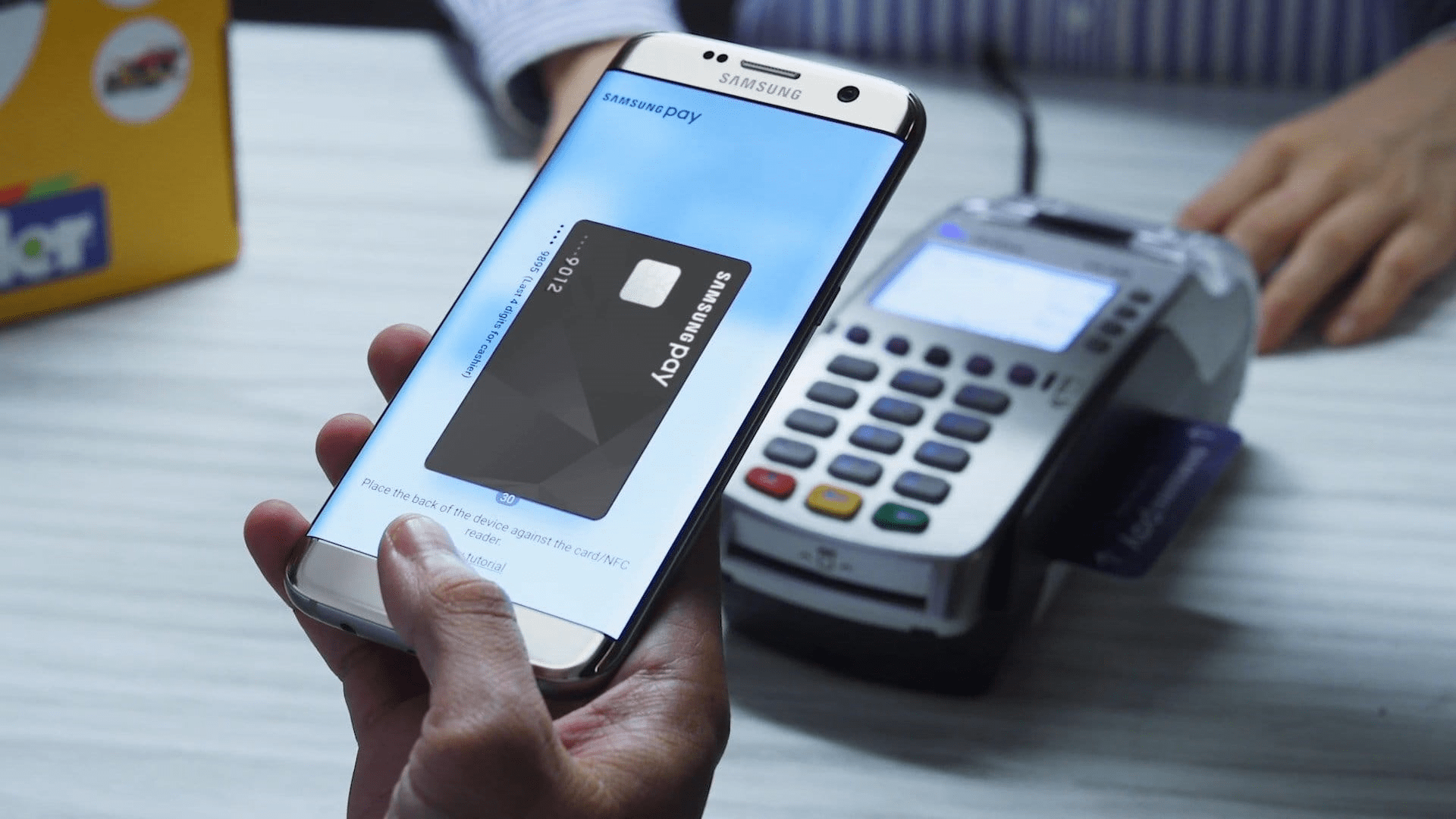
Mir cards of several dozens of Russian banks work with the Samsung Pay payment system, which is available on most Samsung smartphones, both budget and flagship. The main thing is to pay attention to the presence of an NFC chip when buying.
In Samsung Pay, you can add and use Mir cards of such banks as Alfa-Bank, VTB, Gazprombank, MKB, MTS-Bank, Otkritie, Promsvyazbank, Rosbank , Sberbank, Tinkoff and many others.
At the same time, as noted by Samsung, adding Visa and MasterCard cards to the Samsung Pay virtual wallet is not yet possible – as well as payments using cards of these systems added earlier. However, Samsung’s system works great as a Russian analogue of Google Pay. The main thing is to open the World map, which in most cases can be done for free.
Another alternative to Google Pay and Apple Pay is Sber’s contactless payment system called SberPay. It is activated through a proprietary application and works in the same way as other contactless payment systems that have become familiar. It is worth paying attention to the fact that SberPay is available only to customers of Sberbank itself.
To activate SberPay payments, you need to open the Sberbank Online branded application, select the card you want to use for contactless payment, go to the settings of the card itself and click the “Connect SberPay” button. After that, there will be two ways to pay using a smartphone.
The first way is to simply bring the smartphone to the terminal to launch SberPay, then confirm the payment (with a fingerprint or code) and bring the smartphone closer to the terminal again.
The second is to launch SberPay manually by holding down the Sberbank Online application icon and selecting SberPay. Then you will need to confirm the operation with a fingerprint or PIN code and bring the smartphone to the terminal.
MirPay

Mir payment system also launched its own contactless payment service. However, it is only available on Android smartphones. You can pay for purchases using it at any terminal where Mir cards are supported.
Mir Pay application is available in the Google Play catalog. After downloading and installing, you need to open it, scan the front side of the card with the number (for this, use the smartphone’s camera) or enter the number manually. Following the prompts on the screen, you need to activate the card so that it is added to the virtual wallet.
The payment process itself is similar to SberPay – you just need to unlock your smartphone and bring it to the terminal.
Mir Pay supports Mir cards of many Russian banks – Sberbank, VTB, Tinkoff, Otkritie Bank, Rosbank and others.
Note that you can also pay with Mir cards on a number of Internet sites, including the large AliExpress marketplace.
Wallet Pay
This service could be considered as an analogue of Apple Pay in Russia, however, since March 10, as reported on its official website, contactless payment is not available for cards of Russian banks. “This is due to the fact that Visa and Mastercard payment systems have decided to suspend servicing cards issued by Russian banks,” the company emphasizes. Now the developers of Wallet Pay are working on alternative solutions that will return the functionality and use contactless payment again.
“SBPey”
SBPey is another application (and a service of the same name) from the National Payment Card System, which developed the Mir bank card system. Its advantage is that a smartphone does not need to have an NFC chip to make a payment.
The SBPey system, available on both iPhone and Android devices, works with QR codes. How does it look to the user? He installs the application, indicates his bank account, and then, when buying at the checkout, scans the QR code and enters the amount.
The system has been operating since April 1, 2022, dozens of Russian banks are connected to it, according to the SBPey website. In addition to scanning a QR code at the checkout, the service allows you to pay for purchases on the Internet. To do this, just press a button on the site that has joined SBPey, or follow a special link.
Russian banks are actively encouraging merchants to use QR codes in order to offer customers an alternative to Apple Pay and Google Pay. The advantage for the merchant is that he does not need to purchase or rent a POS terminal (and other additional equipment). In addition, the money spent by the buyer is instantly credited to the seller’s settlement account.
You can place a QR code anywhere – at the checkout in the form of a small sticker, in a mobile application, in a taxi, on a website, in a beauty salon, and so on. The buyer just needs to scan the square code in the application and enter the amount by pressing the payment button.
Net
Despite the suspension of MasterCard and Visa in Russia, smartphone owners still have the opportunity not to return to paying with plastic. SberPay, Mir Pay, SBPey and Samsung Pay make it quite comfortable to pay for purchases both in regular stores and other retail outlets, and on the Internet. You don’t have to worry about the security of money and transfers – it will remain at the same level.
Currently, a convenient and simple method of making transactions is contactless payment using a mobile device. The consumer can attach their credit card to the smartphone and make purchases using it. You do not need to carry a wallet with cash and small change, all this is compensated by a cellular device. From the article you will learn how to pay by phone instead of a Sberbank card.
How contactless payment works
This type of making payments using the phone has become popular relatively recently, at first banks began to issue cards that transmit information to the seller’s terminal using an RFID chip and a built-in antenna in plastic. Now the consumer can transfer bank details to a mobile device and pay by phone, pay for purchases by tapping the mobile phone to the reader.
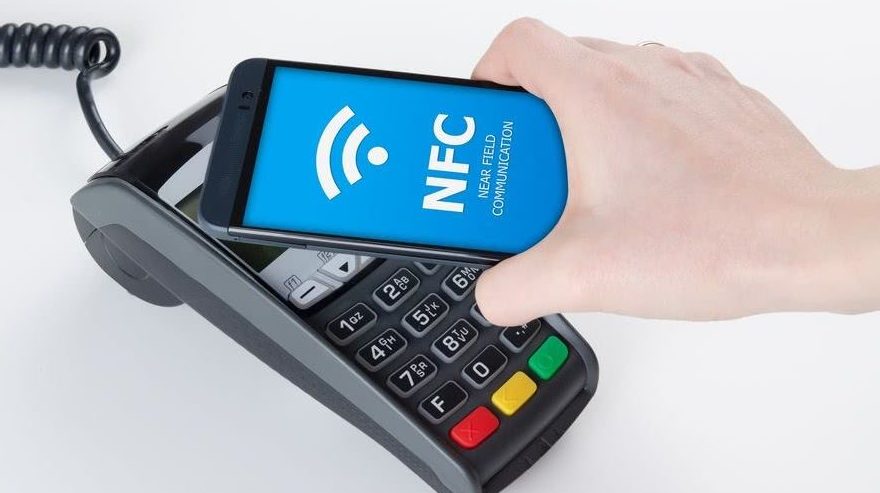
This technology became available thanks to the NFC module, which imitates a credit card signal and transmits information over a short distance in just a couple of seconds. But an important requirement for a successful transaction is the presence of a similar microchip in the receiving equipment at the checkout. Now there are no problems with this, in almost every store you will find compatible equipment with a reader, with the exception of the most remote regions of the country.
Contactless payment is made using an NFC module and special software from different manufacturers – Apple Pay, Samsung Pay and Android Pay.

Now only they are widely distributed among users in Russia. To conduct a transaction, you will need to add a card to the utility. The purchase process is quite simple, you need to bring your smartphone to the terminal, and the funds will be transferred from your bank account.
Consider the advantages of a contactless payment method using a mobile device:
- High degree of security. Data exchange is carried out at a small distance of up to 5 centimeters, and the operation itself will take no more than a couple of seconds. Therefore, fraudsters will not be able to intercept the details and use them for their own purposes. Each payment requires confirmation by the fingerprint of the owner of the smartphone or by entering a security password. When transferring more than 1000 rubles, you must additionally confirm the procedure by entering the key from the credit card.
- Simple interface and payment process. Bring your mobile device to the reader, and the system will do everything for you.
- It’s fast. Ideal for people who value every second of their time. Technology reduces queues in stores.
Which Sberbank cards support NFC
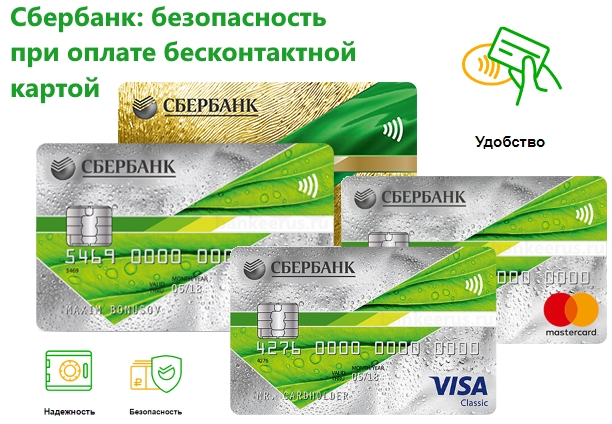
If the mobile device supports contactless transaction technology and the NFC module, then you should know that not all credit cards are compatible with such a service. If we consider the state organization Sberbank, then consumers can only attach cards using the Visa or MasterCard payment standard to their smartphone. For other products of the bank, this service is not yet available, but, according to company representatives, it will soon be possible to register Maestro and other social cards.